Loading
Get Application Form Ps/ge Sgeu Maternity/legal
How it works
-

Open form follow the instructions
-

Easily sign the form with your finger
-

Send filled & signed form or save
How to fill out the Application Form PS/GE SGEU Maternity/Legal online
This guide provides comprehensive, step-by-step instructions on filling out the Application Form PS/GE SGEU Maternity/Legal online. Designed to support users with varying levels of experience, the following instructions will help you accurately complete the application to ensure a smooth submission process.
Follow the steps to successfully complete your application.
- Click the ‘Get Form’ button to obtain the form and open it in your preferred editing tool.
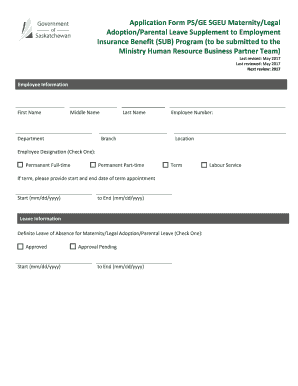
- Begin by providing your personal information in the 'Employee Information' section. This includes entering your first name, middle name, last name, employee number, department, location, and employee designation by checking the appropriate box: Permanent Full-time, Permanent Part-time, Term, or Labour Service. If you select 'Term,' ensure to provide the start and end date of your term appointment.
- In the 'Leave Information' section, select the status of your leave of absence for maternity or legal adoption by checking either 'Approved' or 'Approval Pending.' Include the start and end dates of your leave.
- For the 'Request for SUB Program benefits & Return Service Commitment', indicate the SUB program option you are applying for by checking Option #1 or Option #2. Be sure to provide the necessary details regarding your request for duration of benefits.
- If applicable, confirm whether you or your partner will be serving the Employment Insurance one-week waiting period by checking the corresponding option.
- Review the acknowledgement section to confirm your understanding of the eligibility requirements and obligations under the SUB Program. Make sure all information stated is accurate.
- Sign and date the application at the bottom of the form for the 'Employee Signature' and 'Date' fields. A witness should also sign and date the application.
- Submit the completed form to the Ministry Human Resource Business Partner Team for approval. Upon approval, keep a copy for your records. You may then proceed to submit necessary Employment Insurance documentation as stipulated.
Start filling out your Application Form PS/GE SGEU Maternity/Legal online today to ensure timely processing of your benefits.
Questions to ask: How much paid leave am I entitled to? How much of my leave will be unpaid? Do I have to use my own banked leave, or is there a parental leave plan with included leave? Is there a bank of leave that good-hearted colleagues can donate to, that I can borrow or take from if needed?
Industry-leading security and compliance
US Legal Forms protects your data by complying with industry-specific security standards.
-
In businnes since 199725+ years providing professional legal documents.
-
Accredited businessGuarantees that a business meets BBB accreditation standards in the US and Canada.
-
Secured by BraintreeValidated Level 1 PCI DSS compliant payment gateway that accepts most major credit and debit card brands from across the globe.