Loading
Get Authorization To Release Information - Arizona Dot
How it works
-

Open form follow the instructions
-

Easily sign the form with your finger
-

Send filled & signed form or save
How to fill out the Authorization To Release Information - Arizona DOT online
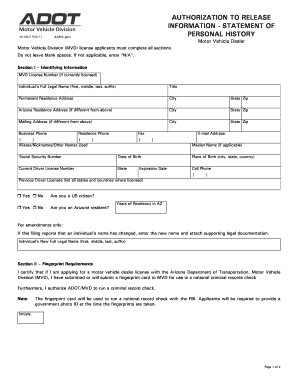
Filling out the Authorization To Release Information form for the Arizona Department of Transportation is an essential step for individuals seeking to obtain a motor vehicle dealer license. This guide provides clear, step-by-step instructions to help users complete the form accurately and efficiently.
Follow the steps to successfully complete the form online.
- Press the ‘Get Form’ button to acquire the Authorization To Release Information form and display it in the editing interface.
- In Section I, enter your identifying information. This includes your MVD License Number (if applicable), full legal name, title, permanent residence address, and contact details such as phone numbers and email address. Ensure that no blanks are left; if a field does not apply, input ‘N/A’.
- Continue in Section I by providing any aliases, your maiden name (if applicable), social security number, date and place of birth, and current driver license information.
- Indicate whether you are a U.S. citizen and an Arizona resident. If applicable, note the years of residency in Arizona.
- If you are submitting an amendment, enter the new full legal name in the provided section and attach any necessary documentation supporting the name change.
- In Section II, confirm that you will submit a fingerprint card for a national criminal records check. Initial this section to indicate your understanding.
- Move to Section III to address disclosures about your criminal history. Respond truthfully to the questions about convictions and ensure to attach detailed explanations if necessary.
- In Section IV, read and certify your agreement to the statements regarding the accuracy of your information. Provide your name, signature, and date to finalize your application.
- Once all sections are filled out, review the form for accuracy. You can then save your changes, download the completed form, print it, or share it as needed.
Complete your documents online to ensure a smooth application process.
A 30-Day General Use Registration is issued when you do not qualify for a permanent registration or other types of temporary permits. Only one 30-Day permit is allowed per vehicle within any 12-month period. The permit is available online or may be purchased at any MVD or Authorized Third Party office. The fee is $15.