Loading
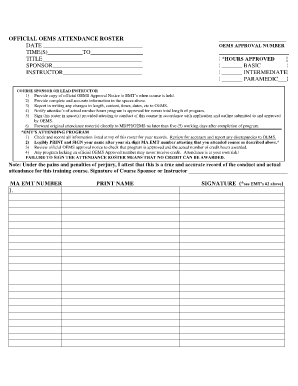
Get Army Class Sign In Roster
How it works
-

Open form follow the instructions
-

Easily sign the form with your finger
-

Send filled & signed form or save
How to fill out the Army Class Sign In Roster online
Filling out the Army Class Sign In Roster online is essential for accurately documenting attendance and meeting course requirements. This guide provides clear, step-by-step instructions to ensure you complete the form effectively and securely.
Follow the steps to complete the Army Class Sign In Roster accurately.
- Click the ‘Get Form’ button to access the Army Class Sign In Roster and display it in your editor.
- In the top section of the roster, enter the date of the course, the times of the sessions, the title of the course, the sponsor's name, and the instructor's name.
- Document additional information such as attendance for each session and any changes in the course schedule or content, if necessary.
- Sign the roster in the designated areas to confirm that the course was conducted according to the approved application and outline.
Get started now to complete your documents online effortlessly!
The drill sergeants pick up their recruits from Reception Battalion and either transport or march them to their company area. The company area is the common area for the entire company (up to 240 recruits).