Loading
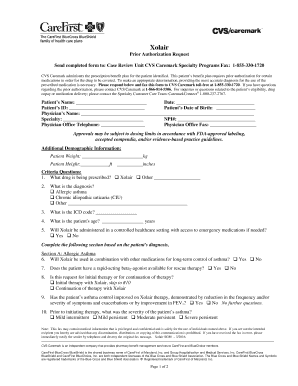
Get Prior Authorization Request - - Carefirst Bluecross Blueshield
How it works
-

Open form follow the instructions
-

Easily sign the form with your finger
-

Send filled & signed form or save
How to fill out the Prior Authorization Request - CareFirst BlueCross BlueShield online
Navigating the Prior Authorization Request form for CareFirst BlueCross BlueShield is essential for ensuring that necessary medications are covered under a patient’s benefit plan. This guide provides clear, step-by-step instructions to assist users in accurately completing the form online.
Follow the steps to effectively complete the Prior Authorization Request form online.
- Press the ‘Get Form’ button to access the Prior Authorization Request form and open it in the editor.
- Fill out the patient’s name, date, ID, and date of birth accurately.
- Provide the physician’s name, specialty, NPI number, office telephone, and office fax number.
- Enter the patient’s weight and height in the designated fields.
- For the criteria questions, select the prescribed drug ( or other) and the diagnosis.
- Input the ICD code and patient’s age.
- Indicate whether will be administered in a controlled healthcare setting with access to emergency medications.
- Complete section A for allergic asthma if applicable, answering questions about ongoing medication and asthma control.
- If relevant, complete section B for chronic idiopathic urticaria (CIU), indicating therapy responsiveness and severity.
- Review all provided information for accuracy and completeness.
- Save your changes, and then choose to download, print, or share the completed form as needed.
Complete your Prior Authorization Request form online today to ensure timely processing.
Participating Providers: to initiate a request and to check the status of your request, visit CareFirst Direct at carefirst.com. Please fax authorization request to 410-781-7661. CareFirst BlueCross BlueShield is the shared business name of CareFirst of Maryland, Inc.