Loading
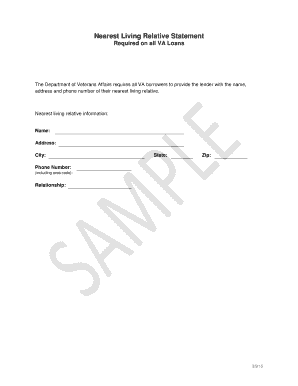
Get Nearest Living Relative Statement
How it works
-

Open form follow the instructions
-

Easily sign the form with your finger
-

Send filled & signed form or save
How to fill out the Nearest Living Relative Statement online
Completing the Nearest Living Relative Statement is an essential step for all VA loan applicants. This guide will provide you with clear and supportive instructions to fill out this form online with ease.
Follow the steps to effectively complete the form.
- Click ‘Get Form’ button to access the document and open it in your preferred editor.
- Begin by entering the name of your nearest living relative in the designated field. Ensure that you provide their full legal name.
- Next, provide the complete address of the nearest living relative. This should include the street address, city, state, and zip code.
- In the following field, enter the phone number of your nearest living relative. Don't forget to include the area code.
- Indicate your relationship with the nearest living relative in the relationship field. Use neutral terms to describe the relationship.
- Once all fields are filled out accurately, review the information for clarity and correctness.
- After verification, you can save your changes, download the form, or print it out for future reference or sharing.
Start completing your documents online today for a smoother process.
NO. IMPORTANT: For faster processing, VA encourages you to visit .va.gov for your Certificate of Eligibility, or contact the lender of your choice to submit an application electronically.