Loading
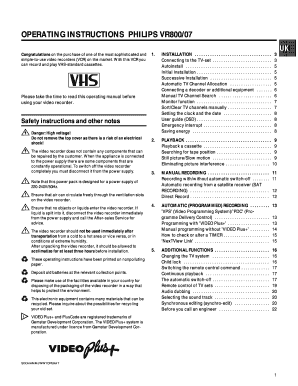
Get Operating Instructions Philips Vr800/07
How it works
-

Open form follow the instructions
-

Easily sign the form with your finger
-

Send filled & signed form or save
How to fill out the OPERATING INSTRUCTIONS PHILIPS VR800/07 online
This user-friendly guide will help you navigate the operating instructions for the Philips VR800/07 video recorder, ensuring you complete the form efficiently and correctly. By following these detailed steps, you'll gain a clear understanding of how to set up and use your device effectively.
Follow the steps to fill out your operating instructions.
- Click the ‘Get Form’ button to obtain the form and open it in the editor.
- Begin by carefully reading through the installation section. This includes connecting your video recorder to the TV, selecting the appropriate settings for your setup, and following the specific instructions for autoinstallation if applicable.
- Proceed to the playback section, where you'll find instructions on how to insert a cassette, play it back, and use features like Frank/Slow motion, and picture tracking.
- Explore the manual recording options. Make sure to understand how to record with or without automatic shut-off, including settings related to recording from external sources like a satellite receiver.
- Familiarize yourself with the automatic (programmed) recording instructions. This section explains how to set up recordings based on the provided PlusCode from your TV guide.
- Review the additional functions section, detailing options such as changing the TV system, enabling child lock, and switching playback modes.
- Lastly, ensure to check the troubleshooting and additional functions for resolving potential issues and maximizing your video recorder's performance.
- Once all steps are completed, you can save your changes, download a copy of the form, or print it for your records.
Start filling out the OPERATING INSTRUCTIONS PHILIPS VR800/07 online now for a seamless experience.
Industry-leading security and compliance
US Legal Forms protects your data by complying with industry-specific security standards.
-
In businnes since 199725+ years providing professional legal documents.
-
Accredited businessGuarantees that a business meets BBB accreditation standards in the US and Canada.
-
Secured by BraintreeValidated Level 1 PCI DSS compliant payment gateway that accepts most major credit and debit card brands from across the globe.