Loading
Get Credentialing Application - Secure.addp-ucci.com
How it works
-

Open form follow the instructions
-

Easily sign the form with your finger
-

Send filled & signed form or save
How to fill out the Credentialing Application online
This guide provides a clear and comprehensive overview of the steps required to successfully fill out the Credentialing Application online. By following these instructions, you will ensure that your application is completed accurately and submitted without delay.
Follow the steps to fill out the Credentialing Application carefully.
- Click the 'Get Form' button to obtain the application form and open it in your designated editor.
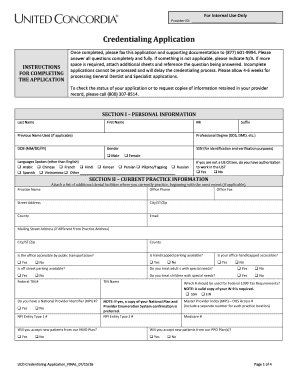
- Begin by entering your personal information in Section I. Provide your last name, first name, and middle initial. Include any previous names used, your professional degree, date of birth, gender, and languages spoken. Remember to provide your Social Security Number for identification purposes.
- Proceed to Section II to input your current practice information. Fill out the practice name, office phone, office fax, and address. Indicate whether your office is accessible by public transport and if there is handicapped parking available.
- In Section III, detail your license information. List all states where you are currently or were previously licensed. Include dates of licensure, license numbers, status, and expiration dates.
- For Section IV, provide details regarding your professional liability malpractice insurance, including the carrier and coverage amounts. A copy of your current malpractice cover sheet is required.
- Fill out Section V with your education background, including the name of the dental school, graduation date, and residency program information if applicable.
- Record your office hours in Section VI, noting the hours for each day of the week.
- In Section VII, detail your work and practice history. List previous employment and provide a written explanation for any gaps in your employment.
- If applicable, complete Section VIII by indicating your hospital affiliation and describing your privileges.
- Section IX contains attestation questions. Answer each question honestly, providing explanations for any 'yes' responses as required.
- Conclude by completing the attestation release section. Print your full name, date, and provide your signature (stamps are not accepted).
- Finally, review your application thoroughly. Save changes, download a copy for your records, or print it out for submission with any required documentation.
Complete your Credentialing Application online today to ensure timely processing.
You'll get active duty dental care when you get called to active duty for more than 30 consecutive days. This means you'll get: Most of your dental care from a military dental clinic. Civilian dental care through the Active Duty Dental Program.