Loading
Get Arinfososnc Gov
How it works
-

Open form follow the instructions
-

Easily sign the form with your finger
-

Send filled & signed form or save
How to fill out the Arinfososnc Gov online
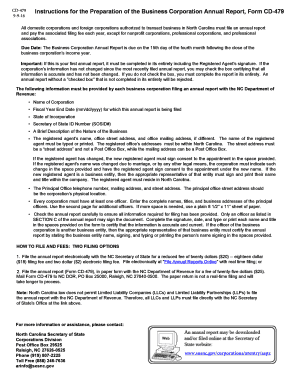
This guide offers step-by-step instructions on how to fill out the Arinfososnc Gov form effectively. Whether you are filing for the first time or need to update information, this guide will assist you in completing the process with ease.
Follow the steps to fill out the Arinfososnc Gov form successfully.
- Click ‘Get Form’ button to obtain the form and open it in the editor.
- Begin by entering the name of the corporation exactly as it appears on official documents.
- Fill in the fiscal year end date in the specified format (mm/dd/yyyy). Ensure the date corresponds to the income year for which you are reporting.
- Indicate the state of incorporation and provide the Secretary of State ID Number (SOSID#). This number is essential for identifying your corporation.
- Provide a brief description of the nature of the business. This section should detail what services or products your corporation offers.
- Enter the registered agent’s name along with their office street address and, if different, their office mailing address. Remember that the street address must not be a Post Office Box.
- If applicable, indicate any changes to the registered agent and ensure consent is signed in the provided space by the new registered agent.
- List the principal office telephone number along with both mailing and street addresses. The street address should represent your corporation's physical location.
- Provide the names, titles, and business addresses of all principal officers. If there are additional officers, use the second page or a plain A4 sheet as needed.
- Review the annual report thoroughly to confirm that all required information has been accurately entered. Only listed officers may sign the document.
- Complete the signature section, ensuring the date is included. Each person certifying the report should print or type their name and title in the designated spaces.
- After ensuring accuracy, save your changes. You can now choose to download, print, or share the completed form as necessary.
Complete your business corporation annual report online to ensure compliance and maintain your corporation's good standing.
Infosys is a global leader in next-generation digital services and consulting. We enable clients in more than 50 countries to navigate their digital transformation.