Loading
Get Tpt Ez
How it works
-

Open form follow the instructions
-

Easily sign the form with your finger
-

Send filled & signed form or save
How to fill out the Tpt Ez online
Completing the Tpt Ez form online is a straightforward process. This guide will provide you with step-by-step instructions to help you fill out each section of the form accurately and efficiently.
Follow the steps to complete your Tpt Ez form online.
- Click ‘Get Form’ button to access the form and open it in the online editor.
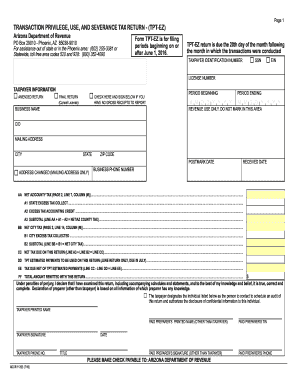
- Provide your taxpayer identification number by selecting your type: either SSN or EIN. Enter your license number when prompted.
- Fill in your taxpayer information, including marking if this is an amended or final return, and indicating if you have gross receipts to report. If applicable, provide your business name, the period beginning date, and the period ending date in the specified formats.
- Enter your business mailing address, including city, state, and zip code. Additionally, provide a contact phone number for the business.
- Complete the yellow fields that will auto-calculate based on the information you provide. If not, click the 'Calculate' button to ensure accurate totals.
- Proceed to the state tax and city tax sections, filling in the required details such as tax rates, deductions, and gross receipts. Ensure that the amounts in the subtotal lines match the tallies on previous pages.
- Finally, review your completed form. You have the option to save your changes, download your completed return, print it, or share it with relevant parties.
Complete your Tpt Ez form online today for timely compliance.
If your LLC engages in a business type that's subject to the TPT, you must get the state transaction privilege tax license from the Arizona Department of Revenue.