Loading
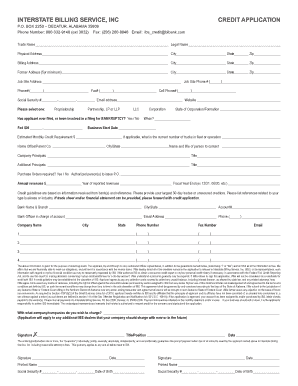
Get Interstate Billing Service Credit Application
How it works
-

Open form follow the instructions
-

Easily sign the form with your finger
-

Send filled & signed form or save
How to fill out the Interstate Billing Service Credit Application online
The Interstate Billing Service Credit Application is an essential document for businesses seeking credit. This guide will provide clear, step-by-step instructions on how to complete the application online, ensuring that users can easily navigate each section and understand what information is required.
Follow the steps to accurately complete your application.
- Click the ‘Get Form’ button to access the credit application, ensuring you have the form open and ready for completion.
- Begin by filling in the trade name and legal name in the designated fields. Make sure the names match your business documentation.
- Input the former address if applicable, along with the job site address and phone number, ensuring all contact details are current.
- Enter personal information including social security number and email address, as well as website if applicable. Keep this information secure and private.
- Select the type of business formation from the provided options and complete the details for the bankruptcy question if relevant.
- Fill in the Federal ID number, business start date, and your estimated monthly credit requirement.
- Provide information about the home office or parent company, including the contact person and their title.
- List company principals and additional principals and their titles, ensuring all relevant individuals are included.
- Detail your annual revenues and the fiscal year end, ensuring accurate financial information is provided.
- Complete the section about bank references, providing details for at least three banks where accounts are held.
- After ensuring that all fields have been filled out accurately, save your changes, and you may download, print, or share your completed application as needed.
Complete your Interstate Billing Service Credit Application online today to get started.
Banking integration allows you to access your clients' financial accounts in one place in your online, cloud-based dashboard. If you need to quickly check an account or cross-reference a transaction, you don't have to worry about digging through multiple ledgers to find the information you need.