Loading
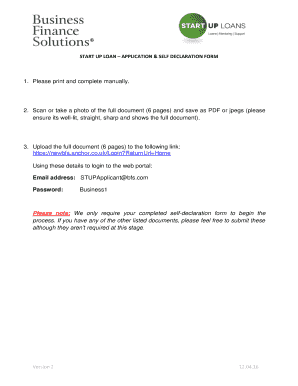
Get Loan Declaration Form
How it works
-

Open form follow the instructions
-

Easily sign the form with your finger
-

Send filled & signed form or save
How to fill out the Loan Declaration Form online
The Loan Declaration Form is an essential document for individuals seeking a Startup Loan. This guide will help you understand the form's components and provide step-by-step instructions on how to complete it online effectively.
Follow the steps to fill out the Loan Declaration Form online
- Click 'Get Form' button to obtain the form and open it in your document editor.
- Begin filling out your personal information. Provide your full name, including any middle names, and your current home address with the postal code. Ensure that all fields marked as mandatory are completed.
- Next, you will need to enter your contact details, including your email address and phone numbers. Make sure these are current as they will be used for all future communications.
- Indicate your gender and whether you consider yourself to have a disability. This section is important for demographic purposes but will not affect your application.
- Fill in your nationality and provide information regarding your highest qualification. If you do not have any qualifications, state 'none' in the relevant field.
- Provide the details about your proposed business, including the name, address, date you started trading, and what you need the loan for. Specify the loan amount you are requesting and the desired repayment period.
- Disclose any existing personal debts you may have. You will need to list the name of the company owed, the outstanding amount, and your monthly repayments. Be thorough as honesty is crucial in this section.
- Indicate if you have ever been declared bankrupt or have any County Court Judgements. Provide details if you answer 'yes' to any of these questions.
- Include any previous applications for a Start-Up Loan, whether you have attempted to obtain finance elsewhere, and if a third party referred you to this loan program.
- In the declaration section, affirm that the information provided is complete and accurate. Sign and date the document, as your signature is necessary for processing your application.
- Once all fields are completed, you can save your changes, download the form, and upload it as instructed. Ensure the document is well-lit, clear, and in a suitable format, such as PDF or JPEG, before submission.
Complete your Loan Declaration Form online today!
The Self Declaration Form 1 can be easily downloaded from the 'Parivahan Saarthi' website. Follow the procedure mentioned below to download the form: Step 1: Visit https://parivahan.gov.in/parivahan/ Step 2: Choose the state you want to apply from.