Loading
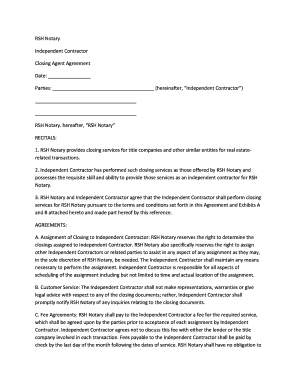
Get Rsh Notary
How it works
-

Open form follow the instructions
-

Easily sign the form with your finger
-

Send filled & signed form or save
How to fill out the Rsh Notary online
Completing the Rsh Notary form is a straightforward process designed to facilitate closing services for independent contractors. This guide provides clear, step-by-step instructions to help users navigate each section of the form efficiently.
Follow the steps to fill out the Rsh Notary form correctly
- Press the ‘Get Form’ button to acquire the form and access it in your preferred online editor.
- Fill in the 'Date' section with the current date, ensuring accuracy as it serves as a reference point for the agreement.
- In the 'Parties' section, provide the names of all relevant parties, ensuring that the term ‘Independent Contractor’ is clearly indicated.
- Review the ‘Recitals’ to understand the context and implications of the agreement. It is essential for establishing the basis of your relationship with Rsh Notary.
- Proceed to the ‘Agreements’ section, where you will need to read through each clause carefully. Note any responsibilities and rights, including those related to closing assignments and confidentiality.
- Complete the 'Independent Contractor' signature block, where you will be required to sign and date the agreement. If applicable, also provide your company name and title.
- If there are any exhibits, such as Exhibit A and Exhibit B, be sure to review these additional requirements before finalizing your document.
- After filling out all sections of the form, save your changes. You can then choose to download, print, or share the completed form as needed.
Start completing your Rsh Notary documents online today for a smoother closing process.
Industry-leading security and compliance
US Legal Forms protects your data by complying with industry-specific security standards.
-
In businnes since 199725+ years providing professional legal documents.
-
Accredited businessGuarantees that a business meets BBB accreditation standards in the US and Canada.
-
Secured by BraintreeValidated Level 1 PCI DSS compliant payment gateway that accepts most major credit and debit card brands from across the globe.