Loading
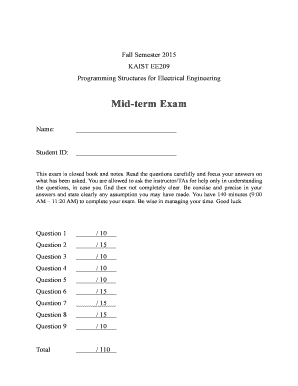
Get Mid-term Exam - Ndsl.kaist.edu - Ndsl Kaist
How it works
-

Open form follow the instructions
-

Easily sign the form with your finger
-

Send filled & signed form or save
How to fill out the Mid-term Exam - Ndsl.kaist.edu - Ndsl Kaist online
This guide provides detailed instructions on how to effectively fill out the Mid-term Exam form available online. Follow the steps carefully to ensure all sections are completed accurately.
Follow the steps to complete your Mid-term Exam form online.
- Press the ‘Get Form’ button to acquire the Mid-term Exam form and open it in your preferred editing interface.
- Begin by entering your full name in the designated 'Name' field. Ensure that your name matches the official identifiers used at your institution.
- Next, input your student ID in the relevant field. This is crucial for record-keeping and identification purposes. Double-check for accuracy.
- Review the exam instructions carefully. Understand that this is a closed book and notes exam. Be mindful of the time limit of 140 minutes.
- Proceed to answer the exam questions sequentially. For each question, ensure you read the requirements thoroughly before providing concise and precise answers.
- After completing the exam, review your answers to confirm that all questions have been answered to the best of your ability.
- Once satisfied with your responses, save the changes made to the document, then choose to download, print, or share the completed form as directed.
Complete your Mid-term Exam form online today for a smooth submission process.
Related links form
Industry-leading security and compliance
US Legal Forms protects your data by complying with industry-specific security standards.
-
In businnes since 199725+ years providing professional legal documents.
-
Accredited businessGuarantees that a business meets BBB accreditation standards in the US and Canada.
-
Secured by BraintreeValidated Level 1 PCI DSS compliant payment gateway that accepts most major credit and debit card brands from across the globe.