Loading
Get Tx H1200-mbic 2011-2026
How it works
-

Open form follow the instructions
-

Easily sign the form with your finger
-

Send filled & signed form or save
How to fill out the TX H1200-MBIC online
Filling out the TX H1200-MBIC form is an important step for families applying for the Medicaid Buy-In for Children program. This guide provides clear, step-by-step instructions to help you complete the form accurately and efficiently.
Follow the steps to fill out the TX H1200-MBIC form online.
- Click ‘Get Form’ button to obtain the TX H1200-MBIC and open it for editing. This action will allow you to access the form and begin filling it out.
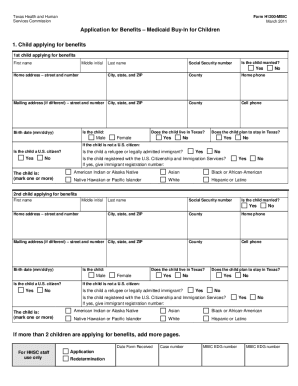
- Provide the child's information in the 'Child applying for benefits' section. This includes the first and last name, middle initial, Social Security number, home address, and date of birth. Remember to select their gender and answer whether the child is married.
- Complete the section regarding parents living with the child. You will need to enter the first and last name, middle initial, Social Security number, and additional details of each parent, including whether they live with the child and their employment information.
- If applicable, provide information about any siblings living with the child in the corresponding section. Include each sibling's name, Social Security number, and employment details if they are working.
- Fill out the section about any other health insurance the child may have. This informs the program of additional coverage and potential costs.
- Indicate if there are any medical bills for services the child received in the past three months. Attach copies of these bills and any corresponding proof of income if applicable.
- Declare any income that is not from a job. List the type of income received and the amount before taxes for both the child and any household members.
- If there is an authorized representative acting on behalf of the applicant, enter their details in the authorized representative section.
- Complete the voter registration section if the applicant is age 17 years and 10 months or older. Select yes or no regarding voter registration.
- Review the legal information, including the understanding of rights and penalties for providing false information.
- Sign and date the form. Ensure that if the applicant is a child under 18, a parent must sign. If applicable, secure signatures from two witnesses if the person signs with an 'X' or another mark.
- After completing the form, save your changes, and consider downloading a copy for your records. You may then share or print the form as required.
Get started with filling out your TX H1200-MBIC form online today!
Yes, Texas has a Medicaid Buy-In program designed for individuals with disabilities who want to work and earn a higher income without losing health coverage. This program, referred to as the TX H1200-MBIC, allows eligible individuals to access necessary healthcare services. If you are exploring options for assistance, the program can significantly benefit you.