Loading
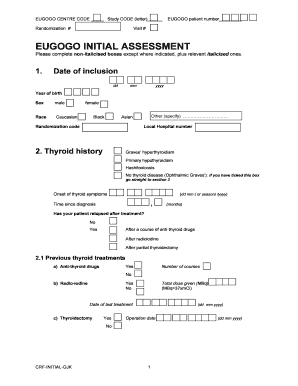
Get Eugogo Initial Assessment Download (pdf)
How it works
-

Open form follow the instructions
-

Easily sign the form with your finger
-

Send filled & signed form or save
How to fill out the EUGOGO Initial Assessment Download (PDF) online
The EUGOGO Initial Assessment Download (PDF) is an essential document for collecting comprehensive medical information about thyroid conditions. This guide will help users confidently complete the form online with clear, step-by-step instructions tailored to their needs.
Follow the steps to complete your assessment form.
- Press the ‘Get Form’ button to access the EUGOGO Initial Assessment Download (PDF) and open it in your preferred editor.
- Begin by entering the EUGOGO centre code and study code in the designated fields at the top of the form. Ensure accuracy as these codes are critical for identification.
- Fill in the randomization number and EUGOGO patient number. These identifiers are important for the study's tracking process.
- Enter your date of inclusion by selecting the day, month, and year. Follow this by providing your year of birth and marking your sex and race in the respective boxes.
- In the thyroid history section, indicate your thyroid condition by ticking the appropriate box. If applicable, note the onset of symptoms and the time since diagnosis.
- List any previous treatments for thyroid conditions and specify the dates, especially if anti-thyroid drugs, radio-iodine, or thyroidectomy have been carried out.
- Complete the patient co-morbidity section by providing necessary details about other health conditions, their diagnosis dates, and surgical treatments where applicable.
- In the current thyroid status, indicate any visible goitre and confirm current medications along with their dosages, while also noting any thyroid lab tests conducted.
- Fill in the laboratory tests section to include white blood cell count and other relevant blood tests as prompted.
- Provide a detailed list of concurrent medications, including the drug names, dosages, and frequency of intake.
- Convey your smoking history as instructed, and document any history of Graves’ orbitopathy symptoms experienced in the past four weeks.
- Complete the physical examination and ophthalmic examination sections thoroughly, providing measurements and observations where required.
- Lastly, finalize the GO Quality of Life questionnaire by reflecting on the past week and signing off on data accuracy, including the date and investigator’s signature.
- Once all entries are completed, utilize the options to save changes, download, print, or share the form, ensuring a copy is retained for your records.
Begin filling out your EUGOGO Initial Assessment Download (PDF) online to streamline your information submission.
Graves' orbitopathy (GO), also called thyroid eye disease or thyroid-associated orbitopathy, is the major extrathyroidal manifestation of Graves' disease (GD), although it may less frequently occur in patients with chronic autoimmune thyroiditis (1).