Loading
Get Ny Blumberg 101 1996-2026
How it works
-

Open form follow the instructions
-

Easily sign the form with your finger
-

Send filled & signed form or save
How to fill out the NY Blumberg 101 online
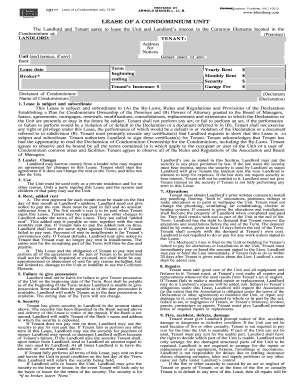
Filling out the NY Blumberg 101 form can initially seem daunting, but with this guide, you will be equipped with the knowledge to complete it accurately and efficiently online. Whether you are a first-time user or familiar with digital documents, our step-by-step instructions will help you navigate each section with confidence.
Follow the steps to successfully fill out the NY Blumberg 101 form.
- Click the ‘Get Form’ button to obtain the NY Blumberg 101 form and open it for editing.
- Fill in the landlord's information in the designated fields at the top of the form. This includes the landlord’s name, address for notices, and contact information.
- Input the tenant's details in the corresponding section. Ensure to provide the tenant's full name and the address of the condominium unit being leased.
- Specify the term of the lease, indicating the start and end dates. This section is crucial for defining the duration of the rental agreement.
- Fill in the rental amounts. Enter the yearly rent, monthly rent, and any security deposit required under the lease terms.
- Complete information about any garage space included in the lease, if applicable. Specify the garage fee and the number assigned.
- In the additional clauses section, review the terms and conditions of the lease, ensuring accuracy in all specific agreements made between the landlord and tenant.
- After reviewing all the information entered for accuracy, save the changes made to the form to avoid losing any data.
- Download or print the completed form for your records. You can also share the form digitally as required.
Get started by filling out the NY Blumberg 101 form online today!
Related links form
When filling out the NY ST 120 form, begin by entering your basic information as required. Specify the reason for exemption by referencing applicable laws. Lastly, don't forget to sign the certificate, as this validates the document. For a step-by-step approach, refer to NY Blumberg 101 to ensure all sections are completed correctly.