Loading
Get Socsube
How it works
-

Open form follow the instructions
-

Easily sign the form with your finger
-

Send filled & signed form or save
How to fill out the Socsube online
This guide provides step-by-step instructions on completing the Socsube form online. It aims to assist users in navigating the form with clarity and ease, ensuring all necessary information is accurately provided.
Follow the steps to successfully fill out the Socsube form online:
- Press the ‘Get Form’ button to obtain the form. This will open the document in your editor of choice, ready for you to fill out.
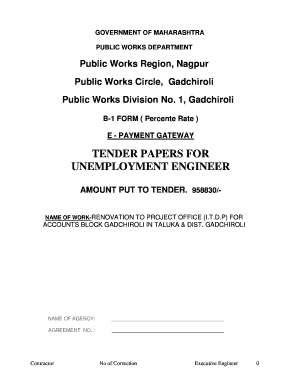
- Begin with the general information section. Enter the name of the agency, agreement number, and any other relevant details as requested.
- Proceed to the project details. Clearly state the name and description of the work, along with the amount put to tender. This information is crucial for proper identification and classification of your submission.
- Fill in the details of the work schedule, including the time stipulated for completion. Make sure to include any applicable dates related to the project timeline.
- Complete the document by filling out any additional forms or appendices as required, which may include details about machinery for the work and technical personnel.
- Once all sections are completed, review the entire document to ensure accuracy and completeness. Correct any mistakes before finalizing your submission.
- Finally, save your changes, download a copy for your records, and be prepared to print or share the form as needed for submission.
Complete your Socsube form online today for a seamless submission process.
Visit Maharashtra eProcurement website: mahatenders.gov.in/nicgep/app. Click on 'Results of Tenders' Enter details on: mahatenders.gov.in/nicgep/app? page=ResultOfTenders&service=page. Click on 'Search' View results for Maharashtra e tender on the page.
Industry-leading security and compliance
US Legal Forms protects your data by complying with industry-specific security standards.
-
In businnes since 199725+ years providing professional legal documents.
-
Accredited businessGuarantees that a business meets BBB accreditation standards in the US and Canada.
-
Secured by BraintreeValidated Level 1 PCI DSS compliant payment gateway that accepts most major credit and debit card brands from across the globe.