Loading
Get Ups Hardship Loan Withdrawal 2010-2026
How it works
-

Open form follow the instructions
-

Easily sign the form with your finger
-

Send filled & signed form or save
How to fill out the UPS Hardship Loan Withdrawal online
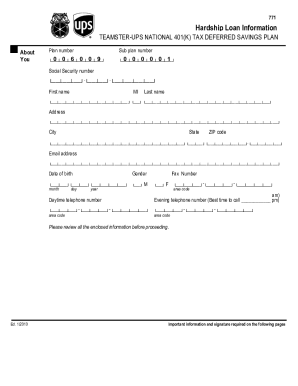
The UPS Hardship Loan Withdrawal form allows users to request a loan during times of financial difficulty. This guide provides you with a clear, step-by-step process to effectively complete the form online, ensuring that you provide all necessary information and documentation.
Follow the steps to complete your UPS Hardship Loan Withdrawal form online.
- Click ‘Get Form’ button to obtain the form and open it in the editor.
- Begin by filling out your personal information, including your full name, address, social security number, date of birth, and contact information. Ensure all details are accurate.
- Indicate your reason for requesting the hardship loan by selecting the appropriate option from the provided list. Remember, you can only choose one reason per request.
- Gather and attach the necessary documentation that supports your reason for the loan. Each reason has its own specific requirements that must be met.
- Review all sections of the form to ensure completeness and accuracy. Ensure you have signed and dated the form.
- Once all information is correctly filled out and all documentation is attached, save your changes and choose how you'd like to submit the form, whether by mailing or faxing it to the provided address.
Prepare and submit your UPS Hardship Loan Withdrawal form online to access the support you need.
UPS partners with several providers for its 401k plans, ensuring a wide range of investment options. The specific provider may differ based on the plan you are enrolled in, so it’s wise to review your plan documents for the right information. Understanding your provider helps you navigate your withdrawal options better.