Loading
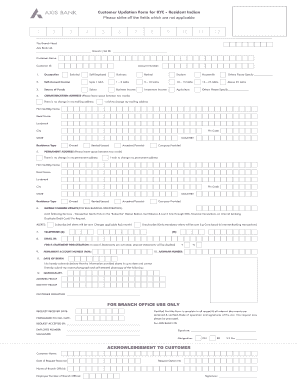
Get Axis Bank Customer Updation Form For Kyc
How it works
-

Open form follow the instructions
-

Easily sign the form with your finger
-

Send filled & signed form or save
How to fill out the Axis Bank Customer Updation Form for KYC online
The Axis Bank Customer Updation Form for KYC is an essential document for maintaining up-to-date customer information. This guide will provide clear, step-by-step instructions on how to fill out the form online, ensuring a smooth and efficient process.
Follow the steps to accurately complete the form.
- Press the ‘Get Form’ button to access the form and open it in the designated editor.
- Begin by entering your Permanent Account Number (PAN). If you do not have a PAN, indicate this by choosing the appropriate option.
- Complete Form No. 60 if you do not have a PAN. Fill in your full name and address, details of the transaction, and the amount involved in that transaction.
- If applicable, complete Form No. 61 by providing your full name and address, particulars of the transaction, and details of documents submitted to support your address.
- Finally, verify the information you provided. Fill in the verification statement with your name, the current date, and place. Add your signature to confirm the accuracy of the information.
Complete your Axis Bank Customer Updation Form for KYC online today for a streamlined banking experience.
Related links form
If your KYC is not updated in your bank account, you may face restrictions on your account activities. This could include limitations on withdrawals or transactions, which could affect your access to essential banking services. Therefore, using the Axis Bank Customer Updation Form for KYC ensures that your account remains active and fully functional.