Loading
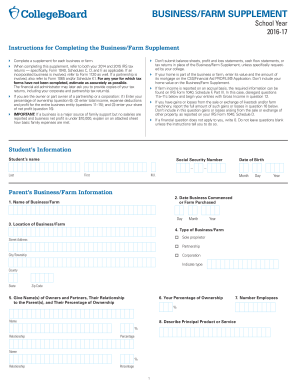
Get Collegeboard Business/farm Supplement 2016-2026
How it works
-

Open form follow the instructions
-

Easily sign the form with your finger
-

Send filled & signed form or save
How to fill out the CollegeBoard Business/Farm Supplement online
Filling out the CollegeBoard Business/Farm Supplement is an essential step in providing your financial information for college applications. This guide will walk you through each component of the form, ensuring you complete it accurately and efficiently.
Follow the steps to complete your Business/Farm Supplement.
- Click ‘Get Form’ button to obtain the form and open it for editing.
- Begin by entering the student’s information, including their name, Social Security number, and date of birth.
- Provide details about the business or farm, including the name, date commenced, location, and type of operation.
- List the names of all owners and partners, their relationship to the parent(s), and their percentage of ownership.
- Specify the total number of employees and describe the principal product or service offered by the business or farm.
- Report any mortgage information and provide details if the business is linked to your home.
- For farm owners, include information about total acres owned, market value, and types of farmland.
- Fill out the income and expenses section, detailing all relevant financial figures for the specified tax years.
- Document business and farm assets and liabilities, ensuring to provide fair market valuations where necessary.
- Utilize the remarks section to clarify any special circumstances regarding your business or farm.
- Finally, sign the form with dates, and save your changes; you can also choose to download, print, or share the form.
Complete your documents online today to ensure a smooth application process.
Related links form
As opposed to the CSS Profile and the FAFSA which send a report of your information to colleges, IDOC allows you to submit those documents directly via a secure portal. If the IDOC is required, you'll be notified via your College Board account as to which documents need uploading.