Loading
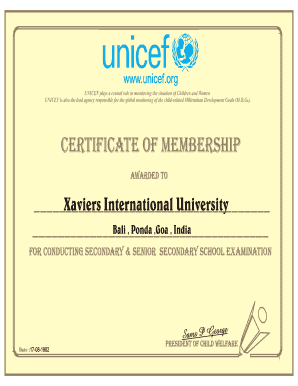
Get Unicef Certificate
How it works
-

Open form follow the instructions
-

Easily sign the form with your finger
-

Send filled & signed form or save
How to fill out the Unicef Certificate online
Filling out the Unicef Certificate online is a straightforward process that ensures efficient completion and submission. This guide will walk you through each section of the certificate, providing clear instructions to help you successfully complete the form.
Follow the steps to fill out the Unicef Certificate online.
- Click the ‘Get Form’ button to obtain the Unicef Certificate. This action opens the form in your designated document editor, allowing you to start the process.
- Begin by entering the name of the organization or institution in the designated field. Ensure the name is accurate and matches the official documentation to avoid issues.
- Proceed to fill in the location details, including the city and country associated with the organization. This information is crucial for identification purposes.
- In the field labeled 'awarded to,' enter the complete name of the individual or entity receiving the certificate. Verify the spelling to uphold the document's integrity.
- Next, provide the name of the authority who is endorsing or signing the certificate. This could be a relevant official or representative from the awarding organization.
- Include the date of issuance in the specified format. This step is essential for record-keeping and establishing the certificate's validity.
- Review the filled-out form for any errors or omissions. Ensuring accuracy at this stage is vital to avoid complications in the future.
- Once you are satisfied with the completed certificate, you can save the changes to your document. Further options include downloading, printing for hard copies, or sharing electronically as needed.
Take the next step and complete your documents online today.
To access available datasets, please provide us with the following information and a short description of your research objectives. First name. Last name. Email. Email confirmation. Password (8 characters minimum, must include at least one letter, one digit, and one symbol) Password confirmation. Affiliation.
Industry-leading security and compliance
US Legal Forms protects your data by complying with industry-specific security standards.
-
In businnes since 199725+ years providing professional legal documents.
-
Accredited businessGuarantees that a business meets BBB accreditation standards in the US and Canada.
-
Secured by BraintreeValidated Level 1 PCI DSS compliant payment gateway that accepts most major credit and debit card brands from across the globe.