Loading
Form preview
  • US Legal Forms
  • Form Library
  • More Forms
  • More Uncategorized Forms
  • View The Manual Here - In Pdf Format - Bug Source Inc

Get View The Manual Here - In Pdf Format - Bug Source Inc

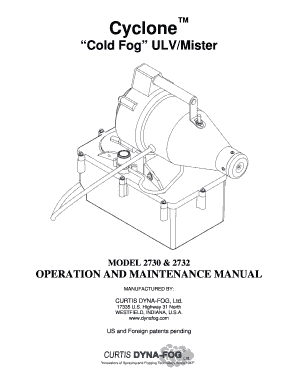
Cyclone Cold Fog ULV/Mister MODEL 2730 & 2732 OPERATION AND MAINTENANCE MANUAL MANUFACTURED BY: CURTIS DYNAFOG, Ltd. 17335 U.S. Highway 31 North WESTFIELD, INDIANA, U.S.A. www.dynafog.com US and.

How it works

  1. Open form

    Open form follow the instructions

  2. Easily sign form

    Easily sign the form with your finger

  3. Share form

    Send filled & signed form or save

How to fill out the View The MANUAL Here - In Pdf Format - Bug Source Inc online

Filling out the View The MANUAL Here - In Pdf Format - Bug Source Inc form is a straightforward process. This guide will provide clear instructions to assist you in completing the form effectively and ensuring that all necessary information is accurately captured.

Follow the steps to successfully complete the form.

  1. Click the ‘Get Form’ button to obtain the form and open it in your preferred PDF viewer.
  2. Review the first section of the manual, which typically includes 'Specifications'. Here, you will find essential details about the machine model, operational capacities, and specifications.
  3. Proceed to the 'Safety Precautions' section. It is crucial to understand all safety measures outlined to ensure proper and safe operation of the equipment.
  4. In the 'Principles of Operation' section, familiarize yourself with how the machine functions. This understanding will be important when applying the equipment effectively.
  5. Next, refer to the 'Operation' section, which outlines the steps necessary for application. Follow the instructions closely to ensure accurate usage.
  6. Complete any required fields in the maintenance section. Understanding how to maintain the equipment will help prolong its lifespan.
  7. Once all sections have been read and understood, you can save any changes made to your manual, download a copy for your records, print it for physical use, or share it with others as needed.

Complete your documentation online to enhance your understanding and usage of Bug Source Inc products.

Get form

Experience a faster way to fill out and sign forms on the web. Access the most extensive library of templates available.
Get form

Related content

GPO Style Manual - GovInfo
Jun 15, 2016 — of official Federal Government publications in digital format from all...
Learn more
MySQL Reference Manual for version 3.22.21.
This is the MySQL reference manual; it documents MySQL version 3.22.21. ... The PDF...
Learn more
Foxit PhantomPDF Standard User Manual - Foxit...
User Manual. 1 ... Supports to display 2D barcode that contains form data in the PDF forms...
Learn more

Related links form

School Picture Release Form Omsd Health Services PHYSICIAN INSTRUCTIONS For SCHOOL ASSISTED ... - Omsd Omsd K12 Ca K12readercom Pdf Matching Form TALENT SHOW RULES And REGULATIONS - OMSD Home Page - Omsd Omsd K12 Ca

Questions & Answers

Get answers to your most pressing questions about US Legal Forms API.

Contact support

From the menu bar select File and choose Document Properties. Use keyboard shortcut (Ctrl + D) to open Document Properties. Within the 'Document Properties' dialog box, select the Security tab and choose the Add Security button. Select the security options you want to enable using the check-boxes and drop-down menus.

"Access denied means that there is some sort of permission problems. Check the permissions of that file for your user id." If this is a networked drive at work check to see if you have permission to access the drive, directory, and file in question.

Access denied in Adobe Reader Step 1: In Acrobat Reader, go to Edit > Preferences. Step 2: Click on “Security (Enhanced)” located on the left panel. Step 3: Uncheck “Enable Protected Mode at start-up” option. Step 4: Select “Yes” when asked about being sure about making this change. Step 5: Click on “OK “

Right-click the PDF, choose Open With > Choose default program or another app in. 2. Choose Adobe Acrobat Reader DC or Adobe Acrobat DC in the list of programs, and then do one of the following: (Windows 10) Select Always use this app to open .

Fix the error with a professional tool Your answer to restore entire corrupt PDF file is PDF file repair software; the final way to fix this error is by repairing the PDF file with Kernel for PDF Repair. Doing so will fix the error.

Here are some of the most common culprits to consider: Your laptop doesn't have a PDF reader installed. Your PDF reader or preferred program is out of date and needs an update. Your PDF application is potentially damaged or needs to be rebooted.

Restart your computer, then open the web page again. Restarting clears the computer memory and memory cache. Simply restarting your computer frequently resolves display issues.

The cause of this error is an Adobe Acrobat enhanced security setting that forces documents to open in a sandbox.

Get This Form Now!

Use professional pre-built templates to fill in and sign documents online faster. Get access to thousands of forms.
Get form
If you believe that this page should be taken down, please follow our DMCA take down processhere.

Industry-leading security and compliance

US Legal Forms protects your data by complying with industry-specific security standards.
  • In businnes since 1997
    25+ years providing professional legal documents.
  • Accredited business
    Guarantees that a business meets BBB accreditation standards in the US and Canada.
  • Secured by Braintree
    Validated Level 1 PCI DSS compliant payment gateway that accepts most major credit and debit card brands from across the globe.
Get View The MANUAL Here - In Pdf Format - Bug Source Inc
Get form
  • Adoption
  • Bankruptcy
  • Contractors
  • Divorce
  • Home Sales
  • Employment
  • Identity Theft
  • Incorporation
  • Landlord Tenant
  • Living Trust
  • Name Change
  • Personal Planning
  • Small Business
  • Wills & Estates
  • Packages A-Z
  • Affidavits
  • Bankruptcy
  • Bill of Sale
  • Corporate - LLC
  • Divorce
  • Employment
  • Identity Theft
  • Internet Technology
  • Landlord Tenant
  • Living Wills
  • Name Change
  • Power of Attorney
  • Real Estate
  • Small Estates
  • Wills
  • All Forms
  • Forms A-Z
  • Form Library
  • Legal Hub
  • About Us
  • Help Portal
  • Legal Resources
  • Blog
  • Affiliates
  • Contact Us
  • Delete My Account
  • Site Map
  • Industries
  • Forms in Spanish
  • Localized Forms
  • State-specific Forms
  • Forms Kit
  • Real Estate Handbook
  • All Guides
  • Notarize
  • Incorporation services
  • For Consumers
  • For Small Business
  • For Attorneys
  • USLegal
  • FormsPass
  • pdfFiller
  • signNow
  • altaFlow
  • DocHub
  • Instapage
Form Packages
  • Adoption
  • Bankruptcy
  • Contractors
  • Divorce
  • Home Sales
  • Employment
  • Identity Theft
  • Incorporation
  • Landlord Tenant
  • Living Trust
  • Name Change
  • Personal Planning
  • Small Business
  • Wills & Estates
  • Packages A-Z
Form Categories
  • Affidavits
  • Bankruptcy
  • Bill of Sale
  • Corporate - LLC
  • Divorce
  • Employment
  • Identity Theft
  • Internet Technology
  • Landlord Tenant
  • Living Wills
  • Name Change
  • Power of Attorney
  • Real Estate
  • Small Estates
  • Wills
  • All Forms
  • Forms A-Z
  • Form Library
Customer Service
  • Legal Hub
  • About Us
  • Help Portal
  • Legal Resources
  • Blog
  • Affiliates
  • Contact Us
  • Delete My Account
  • Site Map
  • Industries
  • Forms in Spanish
  • Localized Forms
  • State-specific Forms
  • Forms Kit
Legal Guides
  • Real Estate Handbook
  • All Guides
Prepared for you
  • Notarize
  • Incorporation services
Our Customers
  • For Consumers
  • For Small Business
  • For Attorneys
Our Sites
  • USLegal
  • FormsPass
  • pdfFiller
  • signNow
  • altaFlow
  • DocHub
  • Instapage
Social Media
Call us now toll free:
+1 833 426 79 33
As seen in:
© Copyright 1999-2026 airSlate Legal Forms, Inc. 3720 Flowood Dr, Flowood, Mississippi 39232
  • Your Privacy Choices
  • Terms of Service
  • Privacy Notice
  • Content Takedown Policy
  • Bug Bounty Program