Loading
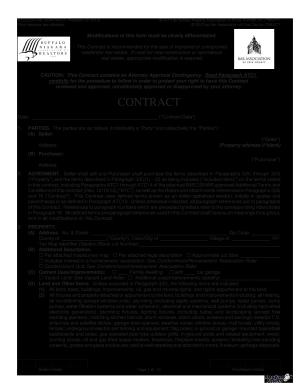
Get Baec/bnar Residential Contract 2013
How it works
-

Open form follow the instructions
-

Easily sign the form with your finger
-

Send filled & signed form or save
How to fill out the BAEC/BNAR Residential Contract online
Filling out the BAEC/BNAR Residential Contract is a crucial step in the process of real estate transactions. This guide provides clear and detailed instructions to assist all users, regardless of their legal experience, in accurately completing the contract online.
Follow the steps to successfully fill out your residential contract.
- Click the ‘Get Form’ button to obtain the form and open it in your chosen online editor.
- Enter the contract date in the designated field at the beginning of the form.
- Complete the parties section by entering the names and addresses of the Seller and Purchaser. Ensure both parties are accurately identified, as this is critical for the contract’s validity.
- In the agreement section, detail the property being sold and any items included in the sale, as described in Paragraphs 3(A) through 3(E). Be clear about what is part of the contract.
- Fill in the purchase price. Be specific about the amount and include any seller concessions. Ensure that the payment details are clearly outlined.
- Address the condition of the property by filling out the corresponding section. This includes maintaining the property until closing and adhering to any additional conditions outlined.
- Complete the disclosures section by answering all questions truthfully regarding the property's condition, such as existing liens or potential hazards.
- Review the financing options. Indicate if the purchase will involve loans and provide details about the loans selected if applicable.
- Sign the contract where indicated and ensure that all parties initials are present throughout the form, particularly in highlighted areas.
- Once the form is completed, save your changes. You can download, print, or share the form as needed.
Start filling out your BAEC/BNAR Residential Contract online today to ensure a smooth transaction process.
Get form
Experience a faster way to fill out and sign forms on the web. Access the most extensive library of templates available.
To find the address associated with a contract, refer to the documentation provided during the transaction process. Typically, the address will be included in your BAEC/BNAR Residential Contract and any related paperwork. If you cannot locate it, consider reaching out to your real estate agent for assistance, as they can guide you through any uncertainties.
Get This Form Now!
Use professional pre-built templates to fill in and sign documents online faster. Get access to thousands of forms.