Loading
Get Bnd Professional Application Fillable - Bcbsnd
How it works
-

Open form follow the instructions
-

Easily sign the form with your finger
-

Send filled & signed form or save
How to fill out the BND Professional Application FILLABLE - BCBSND online
Completing the BND Professional Application is a crucial step for providers seeking credentialing with Blue Cross Blue Shield of North Dakota (BCBSND). This guide will provide you with clear and supportive instructions to help you through each section of the online application process.
Follow the steps to complete the BND Professional Application FILLABLE - BCBSND effectively.
- Press the ‘Get Form’ button to retrieve the application and open it in your preferred editor.
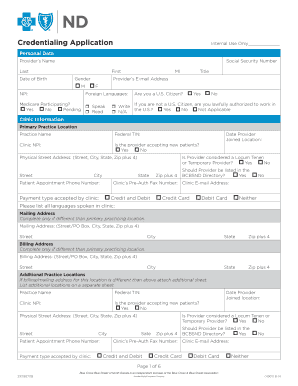
- Begin by filling out the personal data section. Enter your name, social security number, date of birth, gender, title, email address, NPI, and specify any foreign languages you speak, read, or write.
- Indicate your Medicare participation status and confirm if you are a U.S. citizen. If you are not a citizen, provide necessary information on your authorization to work in the U.S.
- Proceed to the clinic information section. Input your primary practice location, including your practice name, federal TIN, clinic NPI, and patient appointment phone number. Specify if you are accepting new patients and whether you are considered a locum tenens or temporary provider.
- Fill in additional details regarding the clinic, such as the clinic's physical address, mailing address (if different), and billing address (if applicable).
- In the specialty/board/national certifications section, list all the specialties you practice alongside relevant board certifications and their expiration dates.
- Fill out the license information by providing details on your current and previous licenses in all jurisdictions, attaching additional information if necessary.
- Address any drug enforcement agency or state controlled substance licenses held, including effective and expiration dates.
- Provide details of your medical and professional education, including the institutions attended, degrees obtained, and the dates of your attendance.
- Complete your work history section over the past five years, providing the organization name, position title, supervisor details, and a brief description of your duties.
- Respond to questions regarding health status, criminal history, and malpractice history, providing explanations for any affirmative answers.
- In the hospital admitting privileges section, specify the primary admitting facility and patient population served.
- Ensure you've attached necessary documents, such as copies of your DEA/state controlled substance certificate and malpractice insurance fact sheet.
- Finally, sign the certification/attestation section electronically and review the completed application before submission. Make sure to save changes and follow the given instructions for submission.
Complete your application online today to ensure everything is processed efficiently.