Loading
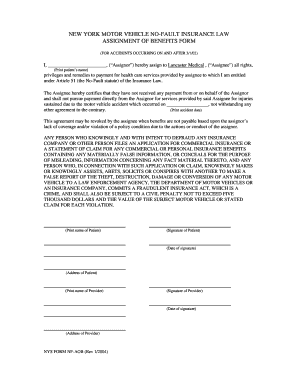
Get Nys Form Nf Aob Rev 1.2004.doc - O B5z
How it works
-

Open form follow the instructions
-

Easily sign the form with your finger
-

Send filled & signed form or save
How to fill out the NYS FORM NF AOB Rev 1.2004.doc - O B5z online
Filing the NYS Form NF AOB (Rev 1.2004) online can simplify the process of assigning health care benefits following a motor vehicle accident. This guide provides clear, step-by-step instructions to help you complete the form accurately and efficiently.
Follow the steps to complete the form correctly.
- Click 'Get Form' button to obtain the form and open it in the editor.
- In the first blank field, enter the patient's name as the Assignor. Ensure that it is spelled correctly for accurate processing.
- Next, locate the field requesting the name of the Assignee. Here, input 'Lancaster Medical' or the appropriate assignee's name.
- In the following blank space, enter the date of the accident. This is crucial as it determines the applicable coverage under the No-Fault statute.
- After filling in the necessary names and dates, the patient should sign the form in the designated signature area, ensuring the signature matches the name provided earlier.
- The date of signature must also be added next to the patient's signature.
- Fill in the patient's address in the provided field, ensuring accuracy to ensure proper delivery of services.
- Repeat steps 7-9 for the Provider's information. Insert the provider's name, signature, date of signature, and their address.
- Once all fields are completed, review the information to ensure it is correct and complete.
- Finally, save your changes, and choose to download, print, or share the completed form as needed.
Complete your documents online today to streamline your process.
Because of New York's No-Fault law, lawsuits due to auto accidents can be brought only for economic losses that exceed No-Fault benefits and for non-economic damages (such as pain and suffering) only if a "serious injury" (as defined in the Insurance Law) is sustained.