you need anything please contact us ASAP. Thank You, BMS Coaching Staff Conduct Comment Initials .

Open form follow the instructions

Easily sign the form with your finger

Send filled & signed form or save
How to fill out the Athletic Grade Check Form online
The Athletic Grade Check Form is a vital document that helps track students' academic performance in relation to their athletic participation. This guide provides clear instructions on how to fill out the form accurately and efficiently online.
Follow the steps to complete the Athletic Grade Check Form online.
- Click the ‘Get Form’ button to access the Athletic Grade Check Form and open it in the editor.
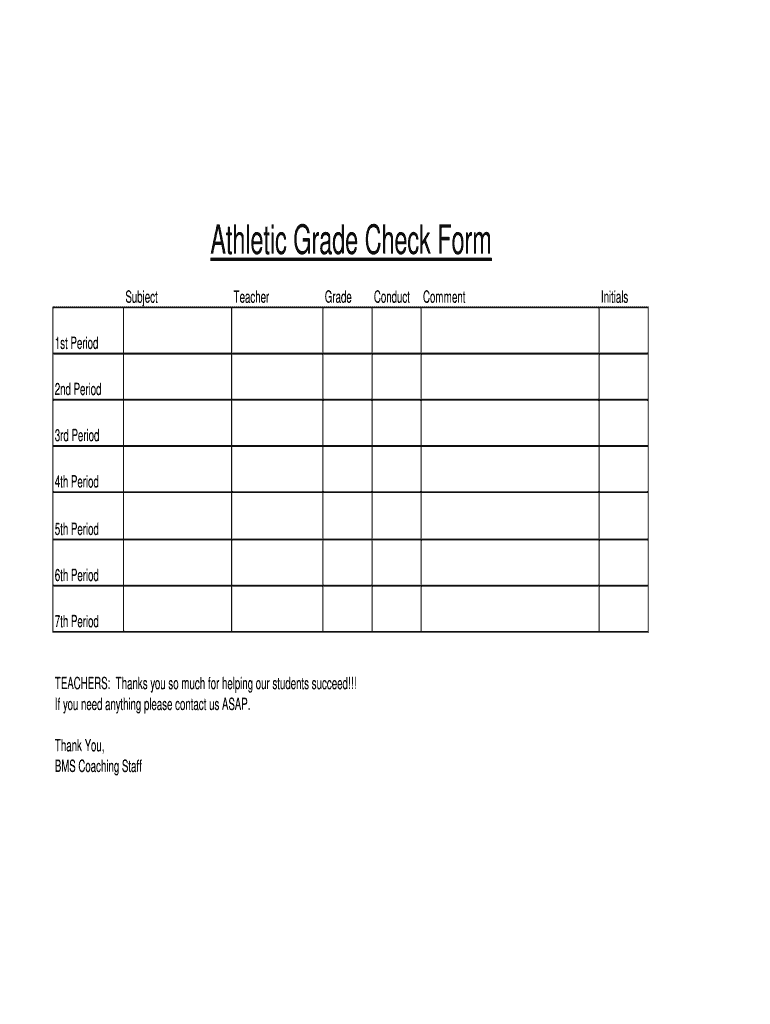
- Begin by entering the subject of the course you are evaluating. This is essential to ensure the correct academic focus.
- Next, fill in the teacher's name responsible for the course. Accurate identification helps with responsibility and follow-up.
- Proceed to input the grades for each period from 1st to 7th. Review each entry carefully to confirm accuracy.
- In the conduct section, provide comments regarding the student’s behavior in class. This will aid in understanding their overall performance.
- Initial the form to confirm the information provided is accurate and complete.
- Once you have filled out all sections, ensure to save your changes. You can then download, print, or share the completed form as needed.
Complete the Athletic Grade Check Form online today to ensure timely support for student success!
Experience a faster way to fill out and sign forms on the web. Access the most extensive library of templates available.
Related content
The DIAA pre-participation physical evaluation and consent form consists of seven pages...
May 7, 2025 — Academic Grade Checks are "hand-carried" forms complete a form given to...
Grade: The calculation of rise (elevation) over run. (distance). For example, if for every...
Get answers to your most pressing questions about US Legal Forms API.
How do I check my athletic eligibility?
To check your athletic eligibility, start by reviewing your school's academic requirements for student-athletes. The Athletic Grade Check Form simplifies this process by allowing you to track your grades and compare them with the eligibility criteria. Regularly checking your academic performance can help you stay on top of your eligibility status. You can also communicate with your coach or school counselor for additional support.
Can you play sports with a 1.5 GPA?
In most cases, a 1.5 GPA may not meet the eligibility requirements for playing sports at many schools. Academic eligibility typically requires a minimum GPA that varies by institution. However, using the Athletic Grade Check Form allows you to assess your current academic standing and take necessary actions to improve it. Focusing on your grades can open doors to many athletic opportunities.
Do grades matter for sports?
Grades play a crucial role in sports eligibility. Many athletic programs evaluate a student's academic performance to determine their eligibility to compete. The Athletic Grade Check Form is an essential tool to monitor your grades and ensure they align with the eligibility guidelines set by your school or athletic organization. Balancing sports and academics can lead to better opportunities in both fields.
Should grades matter when playing sports?
Yes, grades should matter when playing sports because they reflect a student's commitment to education. Many schools require a minimum GPA to ensure that student-athletes maintain their academic eligibility. Using the Athletic Grade Check Form can help you track your grades effectively and ensure that you meet the requirements for participation in sports. Prioritizing both academics and athletics helps foster a well-rounded student experience.
How to check sports eligibility?
To check your sports eligibility, start by reviewing the relevant guidelines set forth by your school and the governing body of your sport. Regularly monitor your academic progress using the Athletic Grade Check Form to ensure you meet all necessary criteria. This proactive approach helps you maintain eligibility and allows you to enjoy participating in your sport.
How to fill out the athletic clearance form?
Filling out the athletic clearance form involves providing personal information, academic history, and signatures from yourself and your guardian. Make sure you have your grades and any necessary documents on hand to complete the form accurately. The Athletic Grade Check Form can help you gather the information needed for a seamless clearance process.
How do I check my athletic subscription?
To check your athletic subscription, visit your school's athletics website or portal, where you can find information on your subscriptions and memberships. If you're uncertain or need further assistance, reach out directly to your athletic department. Keeping the Athletic Grade Check Form updated ensures that all your academic-related subscriptions reflect your current eligibility status.
What are the eligibility requirements to participate in athletics?
Eligibility requirements for athletics include maintaining a minimum GPA, completing required coursework, and satisfying amateurism standards. Schools may also have additional criteria, so it is essential to check with your institution. Using the Athletic Grade Check Form can help you keep track of your academic performance and confirm your eligibility.
Am I eligible for NCAA sports?
To determine your eligibility for NCAA sports, you must meet specific academic and amateurism standards. The NCAA requires you to complete a high school education and maintain the minimum GPA set for your sport. The Athletic Grade Check Form helps track your grades and ensure they meet NCAA requirements, providing you clarity on your status.
What are the classification of athletics?
Events. World Athletics, the sport's governing body, defines athletics in six disciplines: track and field, road running, race walking, cross country running, mountain running, and trail running. Mountain running was added in 2003 and trail running was added in 2015.
Use professional pre-built templates to fill in and sign documents online faster. Get access to thousands of forms.
If you believe that this page should be taken down, please follow our DMCA take down process here.