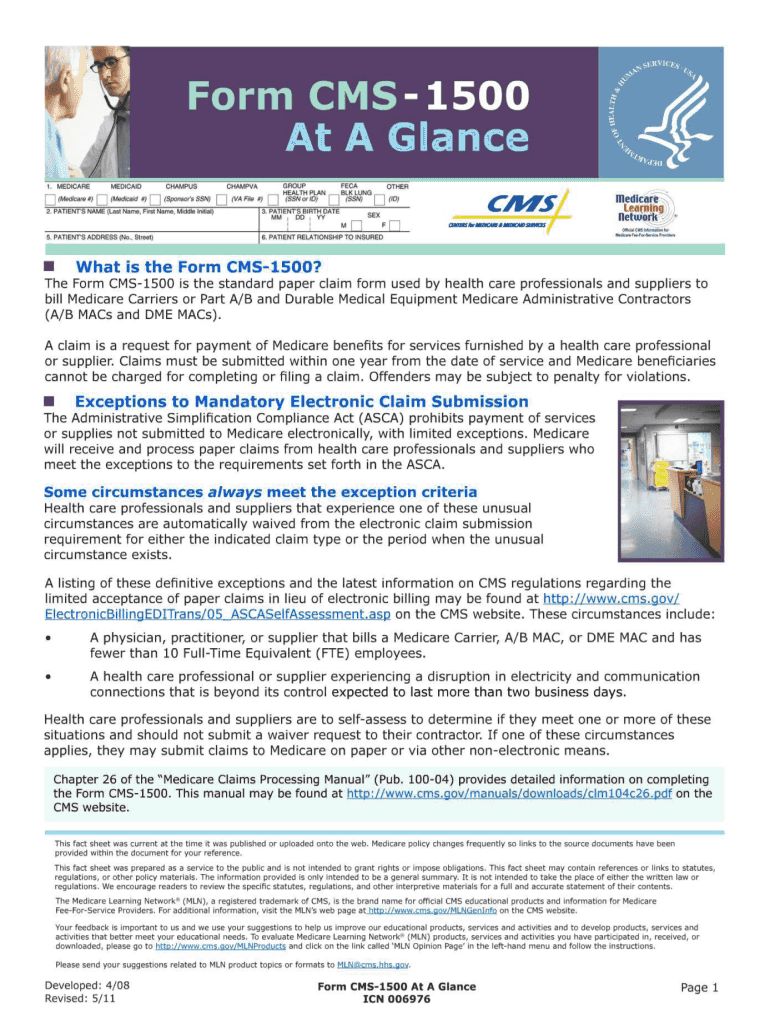
Nclude The 837P (Professional) is the standard format used by health care A/B Medicare Administrative professionals and suppliers to transmit health care claims Contractors (MACs) and Durable electronically. The Form CMS-1500 is the standard paper claim form Medical Equipment (DME) MACs. to bill Medicare Fee-For-Service (FFS) Contractors when a paper claim is allowed. In addition to billing Medicare, the 837P and Form CMS-1500 may be suitable for billing various government and some private insur.

Open form follow the instructions

Easily sign the form with your finger

Send filled & signed form or save
How to fill out the CMS-1500 At a Glance online
The CMS-1500 form is essential for healthcare professionals and suppliers to bill Medicare Fee-For-Service claims. This guide provides clear, step-by-step instructions on completing the CMS-1500 form online, ensuring accurate submission for timely processing.
Follow the steps to accurately complete the CMS-1500 form online.
- Press the ‘Get Form’ button to access the CMS-1500 form and open it in your preferred document editor.
- Fill in the patient's information, including name, address, and identification number in the designated sections. Ensure accuracy to avoid delays.
- Complete the provider's information, including the name, National Provider Identifier (NPI), and practice address in the respective fields.
- Input the insurance information, including the policy number and type of insurance, to ensure correct billing to the right payer.
- Detail the services provided, including the place of service, and use current diagnosis codes to describe the medical necessity for each item.
- Review all filled-out sections for completeness and accuracy. Address any missing or incorrect data before submission.
- Once all information is verified, you may save your changes, download the completed form, print it, or share it as needed.
Begin completing your CMS-1500 form online today to streamline your claims process.
Experience a faster way to fill out and sign forms on the web. Access the most extensive library of templates available.
Related content
A federal government website managed and paid for by the U.S. Centers for Medicare &...
Nov 15, 2021 — Here we'll get into the details of the two main claims forms used in...
by JB Doe — The revised 1500 Claim Form expands the length of some existing fields...
Get answers to your most pressing questions about US Legal Forms API.
What is field 23 in CMS 1500 claim form?
Field 23 in the CMS-1500 claim form is designated for the billing provider's NPI number. This number is essential for identification and ensures that the claim is properly attributed. Understanding field 23, along with the entire form, is simplified with resources from US Legal Forms, where you can find comprehensive guidance and support.
Does Medicare accept handwritten claims?
Medicare does accept handwritten claims, but they must be legible to avoid processing delays. However, handwritten forms can lead to confusion and complications. Utilizing a service like US Legal Forms to file your CMS-1500 claims digitally can minimize risks and streamline the submission process.
Can I handwrite a CMS 1500 form?
Yes, you can handwrite a CMS-1500 form if necessary, but it's generally advisable to avoid it. Handwriting can introduce legibility issues, potentially causing processing delays. For a smoother experience, consider filling out the forms electronically through US Legal Forms, which offers user-friendly options and templates.
Can you hand write a CMS 1500 form?
It is possible to handwrite a CMS-1500 form, though it is not the preferred method. Handwritten forms may lead to errors and misunderstandings, which can delay processing. Therefore, using a digital format through platforms like US Legal Forms is often a better choice for clarity and efficiency.
Can I print my own CMS 1500 forms?
Yes, you can print your own CMS-1500 forms. Many healthcare providers find it convenient to create and print these forms directly from templates available online. By using a reliable platform like US Legal Forms, you can access compliant CMS-1500 forms that meet all requirements. Printing your own forms can save you time and ensure accuracy.
Can I download a CMS 1500 form?
You can easily download a CMS-1500 form from various reliable sources. Websites like US Legal Forms provide downloadable templates that are compliant and ready for use. This feature ensures that you have the most updated version of the form available at your fingertips. With just a few clicks, you can access and print the necessary documents.
How do I print a $1500 claim form?
To print a CMS 1500 claim form, you can download a copy from the CMS website or a reliable platform like Uslegalforms. Once you have the form downloaded, simply follow your printer's instructions to print it. Ensuring you have the latest version will help in maintaining compliance with billing standards.
Who completes the CMS 1500 claim form?
The CMS 1500 claim form is typically completed by healthcare providers, billers, or claims processors. These individuals gather the necessary patient and service information to ensure accurate submission for reimbursement. Properly completing the form is crucial, as mistakes can lead to delays in payment or claim denials.
Who uses the paper CMS 1500 form?
The paper version of the CMS 1500 form is primarily used by providers who do not yet utilize electronic claims submission. Small practices, rural healthcare providers, and those who prefer traditional methods often rely on the paper form. Despite advancements in technology, the CMS 1500 form remains a vital tool for many in the healthcare industry.
Who is responsible for maintenance of the CMS 1500 claim form?
The maintenance of the CMS 1500 claim form falls under the responsibility of the Centers for Medicare & Medicaid Services (CMS). They regularly update the form to reflect current billing practices, coding changes, and regulatory requirements. It is crucial for healthcare providers and billers to keep up with these changes to avoid claim denials and ensure compliance.
Use professional pre-built templates to fill in and sign documents online faster. Get access to thousands of forms.
If you believe that this page should be taken down, please follow our DMCA take down process here.