Loading
Get 1300885055
How it works
-

Open form follow the instructions
-

Easily sign the form with your finger
-

Send filled & signed form or save
How to use or fill out the 1300885055 online
Filling out the 1300885055 form online is an essential process for obtaining Takaful hospital and surgical claims. This guide will provide you with step-by-step instructions to ensure a smooth and accurate submission.
Follow the steps to complete your claim form online.
- Click ‘Get Form’ button to obtain the form and open it in the editor.
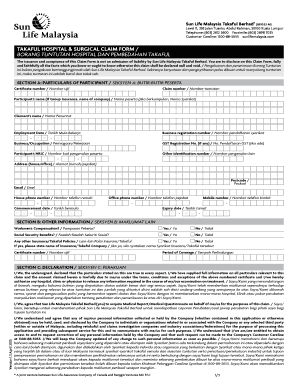
- In Section A, fill in the particulars of the participant. Enter the certificate number and claim number in the provided fields. List the participant’s name, claimant’s name, employment date, and occupation. Make sure to include the business registration number and address, along with other identification numbers as needed.
- Complete Section B by answering questions related to workmen’s compensation and social security benefits. If you have other insurance or Takaful policies, provide the necessary details.
- In Section C, read the declaration carefully, and ensure that you declare the accuracy of all information provided. You must authorize the release of any medical information required for your claim.
- Proceed to Section D to authorize direct credit payments to your bank account. Fill in all relevant banking details and attach the required verification documents.
- Complete Section E by having the attending doctor fill in the necessary medical details regarding the patient's treatment, including diagnosis, treatment history, and follow-up instructions.
- Gather all required documentation as specified in Section G. This includes identity proof, medical bills, and any additional documents based on whether the claim is non-fatal or fatal.
- Once you have filled out all sections of the form and attached the necessary documents, review your submission for accuracy. After confirming that all information is correct, save the changes, download a copy, print, or share the form as appropriate.
Start completing your claim form online today for a seamless submission process.
1) Sun Life Financial (carrier number 000016) is now a CDAnet/Réseau ACDQ version 4 claims administrator; 2) Enable COB (Transaction Type 7) for Sun Life Financial; 3) Enable Pre-determinations (Transaction Type 3) for Sun Life Financial; and, 4) Claims routed through the TELUS Health network must now use the TELUS ...