Loading
Get Vaccine Adherence In Kids Program: A Pfizer Vaccines Resource
How it works
-

Open form follow the instructions
-

Easily sign the form with your finger
-

Send filled & signed form or save
How to fill out the Vaccine Adherence In Kids Program: A Pfizer Vaccines Resource online
Filling out the Vaccine Adherence In Kids Program: A Pfizer Vaccines Resource online is a straightforward process. This guide provides clear, step-by-step instructions to assist you in successfully completing the form.
Follow the steps to complete your form accurately.
- Click the ‘Get Form’ button to obtain the form and open it in your preferred document editor.
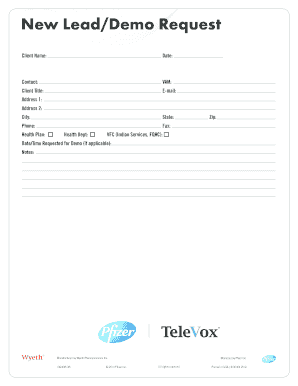
- In the first section, you will need to enter the client's name. This is crucial for identifying the individual associated with the request.
- Next, fill in the date on which you are submitting the form. It is important to keep this current for accurate record-keeping.
- Provide the contact person's name, ensuring you include the appropriate spelling and any relevant titles.
- Input the VAM (Value-Added Marketing) identifier if applicable. This may help in tracking your request within the program.
- Indicate the client's title, providing their professional designation or role.
- Next, enter the email address of the contact person. Ensure the address is valid for future correspondence.
- Fill in the address fields: Address 1, Address 2 (if necessary), city, state, and zip code. This helps in geographical identification and outreach.
- Provide the phone number and fax number, if available. These contact points allow for seamless communication.
- Complete the sections for Health Plan and Health Department. Fill these out to give context to the request.
- Finally, you might find a section to indicate the date and time requested for a demo, if applicable. This allows for scheduling of any related activities.
- Add any additional notes in the notes section that may be relevant to your request or provide further clarification.
- Once you have filled out all required fields, ensure to save your changes. You can also download, print, or share the completed form as necessary.
Take the next step and complete your document online today.
1. Normalize Getting Vaccinated and Staying Up to Date Share your vaccination story with your employees. Show pride in your decision to get vaccinated. Encourage others to talk about their experiences with vaccination. Visually promote vaccination. ... Thank employees when they get vaccinated.
Industry-leading security and compliance
US Legal Forms protects your data by complying with industry-specific security standards.
-
In businnes since 199725+ years providing professional legal documents.
-
Accredited businessGuarantees that a business meets BBB accreditation standards in the US and Canada.
-
Secured by BraintreeValidated Level 1 PCI DSS compliant payment gateway that accepts most major credit and debit card brands from across the globe.