Loading
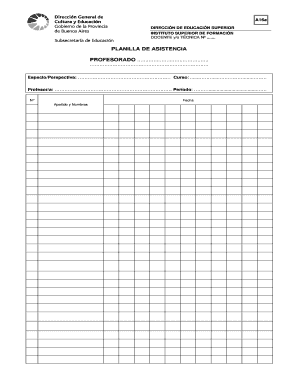
Get Planilla De Asistencia
How it works
-

Open form follow the instructions
-

Easily sign the form with your finger
-

Send filled & signed form or save
How to fill out the Planilla De Asistencia online
Filling out the Planilla De Asistencia online is a straightforward process that requires attention to detail. This guide provides you with clear, step-by-step instructions to ensure that you complete the form accurately and efficiently.
Follow the steps to fill out the Planilla De Asistencia online
- Click the ‘Get Form’ button to access the form and open it in your preferred online editor.
- In the first section, provide the required information about the course by entering the name of the 'Profesorado' and filling in the corresponding fields for 'Espacio/Perspectiva' and 'Curso'. Make sure that each entry is accurate and corresponds to your specific course.
- Next, fill in the details of the instructor. This includes the 'Profesor/a' field, where you should enter the full name of the instructor responsible for the course.
- Indicate the relevant 'Período' by specifying the term or semester during which the course takes place. This helps to contextualize the attendance records.
- The 'Fecha' section requires you to enter the date of attendance. Ensure that this entry is correct to establish an accurate timeline.
- Once all fields have been completed, you can choose to save your progress by clicking on the 'Guardar' option. This will allow you to retain the information you have entered.
- If you need to print the form, select the 'Imprimir' option. Ensure that you set the print size to 'oficio' for correct formatting.
- In case you need to start over, you can use the 'Resetear' option, which will clear all entries from the form.
- Finally, review all entries for accuracy before finalizing your submission. You can then save any changes, download, print, or share the completed form as needed.
Start filling out the Planilla De Asistencia online today to ensure accurate attendance tracking.
El registro de asistencia es una hoja que firman los asistentes para demostrar que han realizado una sesión de capacitación. El documento ha sido optimizado para organizaciones pequenas y medianas; consideramos que documentos extremadamente complejos y extensos son innecesarios para usted.