Loading
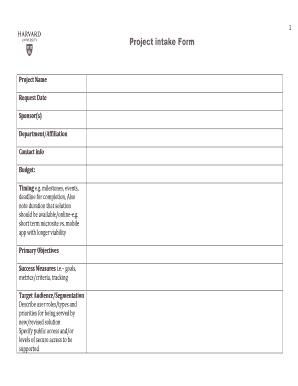
Get 1 Project Intake Form Project Name Request Date Sponsor(s) Department/affiliation Contact Info
How it works
-

Open form follow the instructions
-

Easily sign the form with your finger
-

Send filled & signed form or save
How to use or fill out the 1 Project Intake Form Project Name Request Date Sponsor(s) Department/Affiliation Contact Info online
Filling out the 1 Project Intake Form is essential for effectively managing your project needs. This guide provides clear instructions to help you navigate through each section of the form to ensure accurate and comprehensive submissions.
Follow the steps to successfully complete the intake form.
- Click the ‘Get Form’ button to access the form and open it in your document editor.
- Begin by entering the project name in the designated field. Ensure that it clearly reflects the essence of your project, allowing reviewers to immediately grasp the project's focus.
- Input the request date. This should be the date on which you are submitting the form, ensuring all involved parties are aligned on timelines.
- List the sponsor(s) of your project. This could be an individual or organization responsible for supporting the project. Providing this information can help in identifying stakeholders.
- Fill in the department or affiliation relevant to your project. This detail helps in categorizing the project within the organization and can assist with organizational approvals.
- Provide thorough contact information, including names, phone numbers, and email addresses. Make sure the details are accurate and up-to-date to facilitate communication.
- Consider adding budget estimates, if applicable, to give an initial overview of the project financials.
- Outline the timing for the project, including key milestones, events, deadlines, and duration of the solution's availability. This ensures that expectations are clear from the start.
- Define the primary objectives of the project. This should summarize what the project intends to achieve, providing clarity of purpose.
- Describe success measures which may include goals, metrics, and criteria for tracking progress. This allows for effective evaluation of the project's outcomes.
- Identify your target audience and segmentations. Specify user roles and priorities that will be addressed by the proposed solution.
- Add a brief description of the project, specifying whether it involves a new design, an update, or a redesign, and include key features and functionalities.
- Input relevant URLs or application names if applicable, which helps in referencing existing frameworks, designs, or websites.
- Discuss brand considerations, including the look and feel of the project and any existing guidelines that should be followed.
- Summarize content specifics, detailing the types of content to be created, existing content that will be used, and any edits needed.
- Conclude by considering technology requirements, infrastructure hosting needs, priorities, constraints, and maintenance planning for the project.
- Once all sections are filled out, review the document for accuracy and completeness. After confirming everything is in order, you can save the changes, download, print, or share the completed form.
Prepare to submit your project intake form online to contribute to effective project management.
The purpose of a project intake form is to allow a potential client to set clear expectations for a project. It helps you understand the complete scope of the project, along with the client's budget and expectations. A project intake form helps you receive work requests professionally and efficiently.
Industry-leading security and compliance
US Legal Forms protects your data by complying with industry-specific security standards.
-
In businnes since 199725+ years providing professional legal documents.
-
Accredited businessGuarantees that a business meets BBB accreditation standards in the US and Canada.
-
Secured by BraintreeValidated Level 1 PCI DSS compliant payment gateway that accepts most major credit and debit card brands from across the globe.