Loading
Get Hent Registreringsattest Online
How it works
-

Open form follow the instructions
-

Easily sign the form with your finger
-

Send filled & signed form or save
How to fill out the Hent Registreringsattest Online online
This guide provides step-by-step instructions for filling out the Hent Registreringsattest Online. The process is designed to be user-friendly, ensuring that all necessary information is accurately submitted to obtain a new registration certificate.
Follow the steps to accurately complete the online form.
- Click ‘Get Form’ button to obtain the form and open it in the editor.
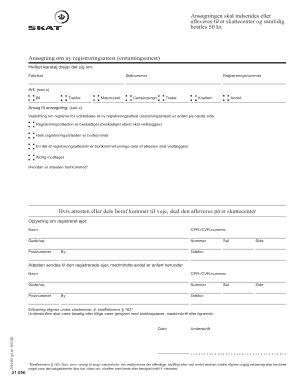
- Begin by entering the details about the vehicle in the designated fields. Provide the make of the vehicle, the chassis number, and the registration number.
- In the section titled 'Type,' select the type of vehicle by placing an 'X' next to the appropriate option from the available choices such as car, tractor, motorcycle, and others.
- For the 'Reason for application' section, indicate the reason for applying for a replacement certificate by checking the relevant box. If the registration certificate is lost or damaged, explain the circumstances in the space provided.
- Fill in the registered owner’s information, including their name, CPR/CVR number, address, and phone number in the respective fields.
- If the certificate is to be sent to someone other than the registered owner, provide their details in the section provided for alternative recipients.
- Ensure the declaration is completed accurately. The signature must be legible or, if preferred, printed in block letters.
- Once all fields are completed, review the form for any errors or incomplete sections, as unclear submissions may be rejected.
- After confirming that all information is correct, finalize the process by saving changes, then download, print, or share the form as required.
Start the process of applying for your Hent Registreringsattest Online today!