Loading
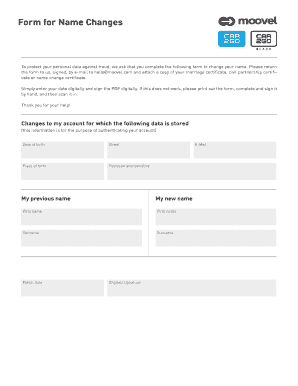
Get Form For Name Changes - Car2go
How it works
-

Open form follow the instructions
-

Easily sign the form with your finger
-

Send filled & signed form or save
How to fill out the Form For Name Changes - Car2Go online
Changing your name with Car2Go is a straightforward process when you follow the steps outlined in this guide. By completing the Form For Name Changes online, you can ensure your account has accurate information while protecting your personal data.
Follow the steps to complete the form efficiently
- Press the ‘Get Form’ button to obtain the form and open it in your preferred editor.
- In the first section, enter your date of birth. This helps authenticate your account.
- Provide your street address for verification purposes.
- Fill in your place of birth as requested.
- Enter your postcode and town or city.
- Input your previous name in the designated field.
- Add your email address, ensuring you use one that is currently active.
- Enter your new name, specifying both your first name and surname in the appropriate fields.
- Indicate the place and date of signing the form.
- Finally, provide a (digital) signature to authenticate your request. If you would prefer, you may print the form, sign it by hand, and scan it back into your device.
Complete your name change process online today!
The ABA House of Delegates (House) has ultimate authority for establishing Association policy. This policy-making body is composed of approximately 550 delegates who represent various groups within the ABA and legal profession as a whole.