Loading
Form preview
  • US Legal Forms
  • Form Library
  • Other Forms
  • New York Other Forms
  • Ny Nys-app 2012

Get Ny Nys-app 2012

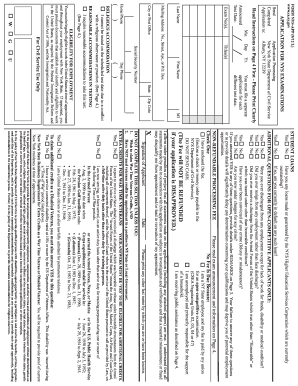
Itles(s) First Name MI You must file a separate application for each different test date. Read Instructions on Page 4 First - Please Print Clearly Mo. Day Yr. Announced Test Date: Exam No(s). Last Name State Zip Code ( ) Day Phone Social Security Number Mailing Address: No., Street, Apt., or P.O. Box City or Post Office Home Phone W G U For Civil Service Use Only You must be legally eligib.

How it works

  1. Open form

    Open form follow the instructions

  2. Easily sign form

    Easily sign the form with your finger

  3. Share form

    Send filled & signed form or save

How to fill out the NY NYS-APP online

Filling out the NYS-APP online is a crucial step for applicants seeking to participate in New York State civil service examinations. This guide provides clear, step-by-step instructions to help users navigate each section of the form effectively.

Follow the steps to complete your NYS-APP application online.

  1. Click 'Get Form' button to obtain the application form and open it in the online editor.
  2. Begin by entering your personal details. Fill in your first name, middle initial, and last name. Ensure to check the declared test date and exam number(s) relevant to your application. Remember, separate applications are required for different test dates.
  3. Complete your mailing address, including the street number, apartment or P.O. Box, city, state, and ZIP code. Provide your contact numbers, including daytime and home phone if applicable.
  4. Input your Social Security number. It's essential for your application processing, so ensure there are no errors in this entry.
  5. Indicate your eligibility for employment in the U.S. by confirming you can legally work at the time of hire and throughout your employment.
  6. If you require accommodations for testing due to a disability or religious observance, check the appropriate boxes to request these accommodations.
  7. Answer the additional questions regarding student loans and your employment history accurately to avoid any disqualification. Failure to disclose necessary information can delay your application.
  8. Confirm your fee payment status. Check the relevant box if your fee is being waived due to specific circumstances or conditions as outlined in the form.
  9. Provide your signature and date to certify that all information is true and complete. This section reaffirms your understanding that inaccurate claims may impact your application.
  10. Review all entered information for accuracy and completeness before finalizing your application. Once confirmed, proceed to save, download, print, or share the form as needed.

Complete your NYS-APP application online today to ensure your participation in the upcoming examinations.

Get form

Experience a faster way to fill out and sign forms on the web. Access the most extensive library of templates available.

Related content

Mobile Apps - NY.Gov
Explore New York State with the I Love NY App. Find information on attractions across the...
Learn more
Apply for New York State grants and scholarships
The easiest way to apply for TAP is through the FAFSA. New York State residents attending...
Learn more
New York State Medicaid Enrollment Form
Completion of all fields is required by 42 CFR Part 455.104. Failure to provide the...
Learn more

Related links form

VA DSS 032-03-729A/11 2009 VA DSS 032-05-0011-07 VA FVRS-9930 2011 VA HIPAA Approved Fax Cover Sheet

Questions & Answers

Get answers to your most pressing questions about US Legal Forms API.

Contact support

Citymapper stands out as one of the best apps for walking around New York. It provides detailed walking directions, alternative routes, and essential tips to enhance your experience in the city. With its user-friendly interface and comprehensive features, you can explore New York confidently.

There are numerous apps that cater to New York State residents. Notably, the NY NYS-APP for health services, the MyDMV app for vehicle registrations, and the NYC Safe app for public safety updates. Each app serves different needs, ensuring you have vital resources available on your device.

Yes, NY State of Health offers an app designed to help residents navigate their health insurance options. The NY NYS-APP provides users with resources to enroll in health plans, check eligibility, and find important information quickly. This convenient app ensures you have access to your health information whenever you need it.

To obtain a NY sales tax refund, you will typically use Form ST-140, which is designed for refund requests. The NY NYS-APP can assist you in completing this form accurately. Ensure you have proper documentation for your refund claims to facilitate processing.

Yes, you can file your New York state tax online easily using the NY NYS-APP platform. This option allows you to complete your tax return from the comfort of your home while ensuring a secure and efficient process. Make sure to have all your financial documents ready for a smooth filing experience.

Sales tax should be reported on your sales tax return, which you can prepare using the NY NYS-APP. Be sure to accurately calculate the sales tax collected throughout the period you are filing for. After that, you will submit the return to the New York State tax department, either online or by mail.

To file your NY sales tax return online, visit the NY NYS-APP platform, where you can easily navigate through the filing process. You will need your business information, sales records, and access to the online tax portal. Following the prompts will lead you through the steps to ensure everything is submitted correctly.

You should file your NYS sales tax return based on your assigned filing frequency, which could be quarterly or annually. Understanding these deadlines is crucial to avoid penalties. The NY NYS-APP helps you track your filing schedule and reminds you when it’s time to file.

You are not required to file NYS taxes electronically; however, e-filing options are available and encouraged. Using the NY NYS-APP platform can streamline your filing experience and reduce errors. Electronic filing also allows for faster processing and quicker refunds.

Yes, New York offers direct filing options for tax returns, allowing you to file online without third-party software. The NY NYS-APP provides a direct filing feature, making it easy to submit your returns directly to the state. This can save you time and ensure accuracy in your submissions.

Get This Form Now!

Use professional pre-built templates to fill in and sign documents online faster. Get access to thousands of forms.
If you believe that this page should be taken down, please follow our DMCA take down processhere.

Industry-leading security and compliance

US Legal Forms protects your data by complying with industry-specific security standards.
  • In businnes since 1997
    25+ years providing professional legal documents.
  • Accredited business
    Guarantees that a business meets BBB accreditation standards in the US and Canada.
  • Secured by Braintree
    Validated Level 1 PCI DSS compliant payment gateway that accepts most major credit and debit card brands from across the globe.
Get NY NYS-APP
  • Adoption
  • Bankruptcy
  • Contractors
  • Divorce
  • Home Sales
  • Employment
  • Identity Theft
  • Incorporation
  • Landlord Tenant
  • Living Trust
  • Name Change
  • Personal Planning
  • Small Business
  • Wills & Estates
  • Packages A-Z
  • Affidavits
  • Bankruptcy
  • Bill of Sale
  • Corporate - LLC
  • Divorce
  • Employment
  • Identity Theft
  • Internet Technology
  • Landlord Tenant
  • Living Wills
  • Name Change
  • Power of Attorney
  • Real Estate
  • Small Estates
  • Wills
  • All Forms
  • Forms A-Z
  • Form Library
  • Legal Hub
  • About Us
  • Help Portal
  • Legal Resources
  • Blog
  • Affiliates
  • Contact Us
  • Delete My Account
  • Site Map
  • Industries
  • Forms in Spanish
  • Localized Forms
  • State-specific Forms
  • Forms Kit
  • Real Estate Handbook
  • All Guides
  • Notarize
  • Incorporation services
  • For Consumers
  • For Small Business
  • For Attorneys
  • USLegal
  • FormsPass
  • pdfFiller
  • signNow
  • altaFlow
  • DocHub
  • Instapage
Form Packages
  • Adoption
  • Bankruptcy
  • Contractors
  • Divorce
  • Home Sales
  • Employment
  • Identity Theft
  • Incorporation
  • Landlord Tenant
  • Living Trust
  • Name Change
  • Personal Planning
  • Small Business
  • Wills & Estates
  • Packages A-Z
Form Categories
  • Affidavits
  • Bankruptcy
  • Bill of Sale
  • Corporate - LLC
  • Divorce
  • Employment
  • Identity Theft
  • Internet Technology
  • Landlord Tenant
  • Living Wills
  • Name Change
  • Power of Attorney
  • Real Estate
  • Small Estates
  • Wills
  • All Forms
  • Forms A-Z
  • Form Library
Customer Service
  • Legal Hub
  • About Us
  • Help Portal
  • Legal Resources
  • Blog
  • Affiliates
  • Contact Us
  • Delete My Account
  • Site Map
  • Industries
  • Forms in Spanish
  • Localized Forms
  • State-specific Forms
  • Forms Kit
Legal Guides
  • Real Estate Handbook
  • All Guides
Prepared for you
  • Notarize
  • Incorporation services
Our Customers
  • For Consumers
  • For Small Business
  • For Attorneys
Our Sites
  • USLegal
  • FormsPass
  • pdfFiller
  • signNow
  • altaFlow
  • DocHub
  • Instapage
Social Media
Call us now toll free:
+1 833 426 79 33
As seen in:
© Copyright 1999-2026 airSlate Legal Forms, Inc. 3720 Flowood Dr, Flowood, Mississippi 39232
  • Your Privacy Choices
  • Terms of Service
  • Privacy Notice
  • Content Takedown Policy
  • Bug Bounty Program
NY NYS-APP
This form is available in several versions.
Select the version you need from the drop-down list below.
2013 NY NYS-APP
Select form
  • 2013 NY NYS-APP
  • 2012 NY NYS-APP
Select form