Loading
Get Canada Local 183 Vacation Pay Withdrawal Application
How it works
-

Open form follow the instructions
-

Easily sign the form with your finger
-

Send filled & signed form or save
How to fill out the Canada Local 183 Vacation Pay Withdrawal Application online
Filling out the Canada Local 183 Vacation Pay Withdrawal Application online can seem daunting, but this guide provides clear steps to navigate the process smoothly. By following the instructions outlined here, users can efficiently complete their application and ensure their vacation pay is processed correctly.
Follow the steps to complete your application accurately.
- Press the ‘Get Form’ button to access the application form and open it in the editing interface.
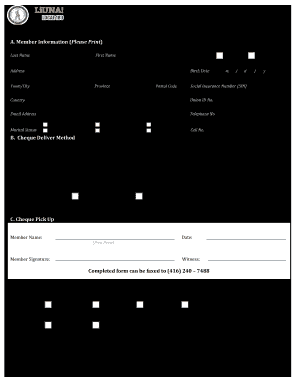
- Begin in Section A, Member Information. Fill in your last name, first name, and gender. Please ensure the information is accurate.
- Proceed to Section B, Cheque Delivery Method. Choose between pickup or mail for receiving your cheque.
- In Section C, Cheque Pickup, write the name of the member (yourself) and provide your signature along with the date of completion.
- Once all information is completed, you can save your changes, download a copy of the form, print it out, or share it as necessary.
Complete your Canada Local 183 Vacation Pay Withdrawal Application online now to ensure timely processing of your vacation pay.
Following the twelve (12) month period and exhaustion of your Hour Bank Account, members are required to remit a monthly payment of $95.00 inclusive of 8% R.S.T.