N EIN for the e-Postcard they are filing. 2. Is the exempt organization terminated or going out of business (Yes or No)? 3. Are the exempt organization’s gross receipts normally $25,000 or less (Yes or No)? Important! If the exempt organization is a supporting organization, the limit is $5,000 or less. 4. Supporting organizations must also answer the following question. Do you support only religious organizations (Yes or No)? Important! The exempt organization must answer Yes to 3 and 4 (4 for.
Loading

Open form follow the instructions

Easily sign the form with your finger

Send filled & signed form or save
How to fill out the epostcard IRS Form 990-N online
Filing the epostcard IRS Form 990-N is a straightforward process designed for small exempt organizations to fulfill their annual informational requirements. This guide will walk you through each step necessary to complete the form efficiently and accurately.
Follow the steps to complete the epostcard IRS Form 990-N online.
- Click 'Get Form' button to access and download the epostcard IRS Form 990-N.
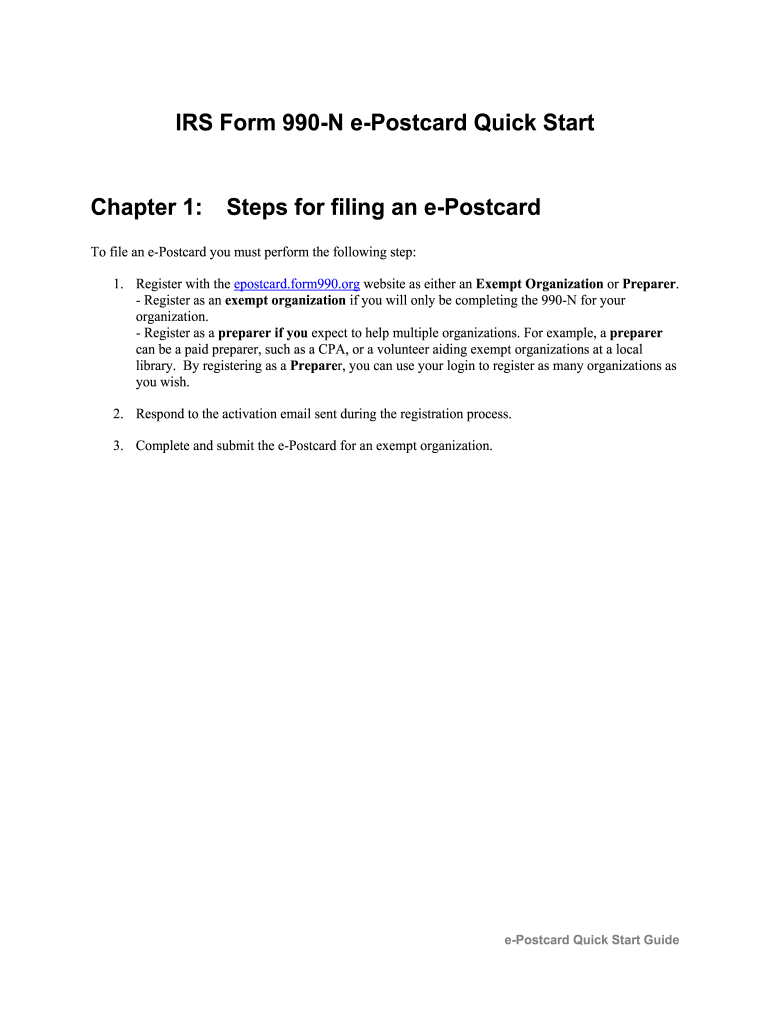
- Register with the epostcard website as either an exempt organization or a preparer. Choose 'Exempt Organization' to file for your own organization or 'Preparer' if assisting multiple organizations.
- Respond to the activation email sent to the email address you provided during registration to activate your account.
- Once registered, log in to create a new epostcard filing by clicking 'Create your Form 990-N (e-Postcard) Now' after activating your login ID.
- If registering as a preparer, enter the Employer Identification Number (EIN) for the organization you are assisting, then click the 'Submit EIN' button.
- Fill in the requested information on the epostcard, including whether the organization has terminated or its gross receipts, then click 'Next Page'.
- Input the organization’s mailing address, website address, and principal officer's name and address, then click 'Submit Filing To IRS'.
- After submission, check for a confirmation page indicating your Form 990-N has been submitted. You will receive an email regarding the status of your filing within ten to fifteen minutes.
Complete your epostcard IRS Form 990-N online today!
Experience a faster way to fill out and sign forms on the web. Access the most extensive library of templates available.
Related content
Form 990-N is due every year by the 15th day of the 5th month after the close of your tax...
Small tax-exempt organizations can use Form 990-N, Electronic Notice (e-Postcard), instead...
... Form 990-N, Electronic Notice · (e-Postcard) for Tax-Exempt Organizations Not...
Get answers to your most pressing questions about US Legal Forms API.
Can a private foundation file a 990 Postcard?
No, private foundations cannot file the epostcard IRS Form 990-N. Instead, they are required to file the more comprehensive Form 990 or Form 990-PF to report their financial activities and grants. This requirement ensures that private foundations maintain transparency and adhere to IRS regulations regarding financial reporting.
What is the difference between the 990 postcard and 990 EZ?
The primary difference between the epostcard IRS Form 990-N and Form 990-EZ lies in the organization’s annual gross receipts. Form 990-N is specifically for organizations with gross receipts of $50,000 or less, while Form 990-EZ serves those with receipts between $50,000 and $200,000. Consequently, Form 990-EZ requires more detailed financial reporting than the postcard form.
Who must file form 199 in California?
In California, all tax-exempt organizations that receive more than $50,000 in gross receipts must file Form 199. This requirement applies to various types of nonprofit organizations, including charities and social enterprises. By filing this form, organizations fulfill state compliance obligations, ensuring they retain their tax-exempt status.
What is a form 199 for a non-profit organization?
Form 199 for non-profit organizations is a specific tax form used in California to report annual income for tax-exempt entities. This form allows nonprofits with gross receipts over $50,000 to provide detailed financial information to the state. Organizations that qualify for the epostcard IRS Form 990-N must use Form 199 if their receipts exceed the specified threshold.
Who can file a 199N e-postcard?
Any small nonprofit organization that operates in California and has annual gross receipts of $50,000 or less can file the 199N e-postcard. This includes charitable organizations, social welfare organizations, and certain other types of nonprofits. Filing this form helps maintain tax-exempt status and adhere to state regulations.
What is the 199N form?
Form 199N, also known as the California e-postcard, is similar to the epostcard IRS Form 990-N but is specific to California entities. This form allows small nonprofits operating in California with gross receipts of $50,000 or less to report their annual income to the state. It streamlines the filing process, easing compliance for small organizations operating locally.
How do I file a 990 postcard for prior years?
To file the epostcard IRS Form 990-N for prior years, you need to log into the IRS websites or authorized e-filing services. Note that the form is generally intended for current tax years, so for past years, you may need to explore alternatives. Organizations may also need to consult tax professionals for guidance on properly addressing any past filing requirements.
Which 990 form is the postcard form?
The epostcard IRS Form 990-N is the postcard form used by small tax-exempt organizations. This form is specifically designed for organizations with annual gross receipts of $50,000 or less. It simplifies the reporting process by requiring minimal information, making it easier for small nonprofits to comply with IRS regulations.
How far back can you amend a 990?
You can amend a 990 form for up to three years after the filing date. It is crucial to correct any inaccuracies to maintain your organization’s compliance with IRS regulations. Filing an amendment helps ensure that your organization's tax records remain accurate and up to date. US Legal Forms provides guidance on how to efficiently make these amendments.
Can you extend a 990 postcard?
Unfortunately, you cannot extend the epostcard IRS Form 990-N itself. However, if you realize you need more time to gather necessary information before filing a full Form 990, you can request an extension for that form. This would be a more comprehensive filing for organizations exceeding the 990-N eligibility. Utilizing services from US Legal Forms can clarify the extension process.
Use professional pre-built templates to fill in and sign documents online faster. Get access to thousands of forms.
If you believe that this page should be taken down, please follow our DMCA take down process here.