Loading
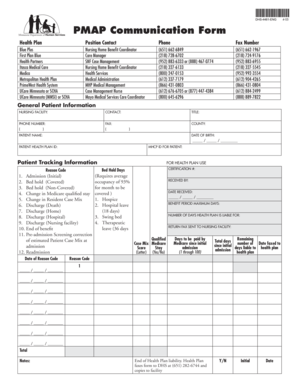
Get Pmap Communication Form - Care Providers - Careproviders
How it works
-

Open form follow the instructions
-

Easily sign the form with your finger
-

Send filled & signed form or save
How to fill out the PMAP Communication Form - Care Providers - Careproviders online
This guide provides clear and comprehensive instructions on filling out the PMAP Communication Form for Care Providers online. Whether you are a care manager or a nursing facility staff member, this resource will walk you through each section of the form with ease.
Follow the steps to successfully complete the PMAP Communication Form.
- Press the ‘Get Form’ button to access the PMAP Communication Form and open it in your preferred online editor.
- Begin by filling out the general patient information section. Provide the nursing facility's name, contact information, and details for the patient, including their name, date of birth, and health plan ID.
- Complete the patient tracking information and certification number as applicable. Ensure any necessary reason codes and bed hold days are filled out accurately.
- Detail the admissions and discharge information as required. Include the dates and reason codes for any changes in patient status.
- Review all fields for completeness and accuracy. Make any necessary adjustments to ensure compliance.
- Upon completion, save your changes in the online editor. You can then choose to download, print, or share the finalized PMAP Communication Form as needed.
Start filling out the PMAP Communication Form online today to ensure timely and efficient communication with health plans.