Loading
Get Inventory Transfer Form - Andersonk12kyus
How it works
-

Open form follow the instructions
-

Easily sign the form with your finger
-

Send filled & signed form or save
How to fill out the Inventory Transfer Form - Andersonk12kyus online
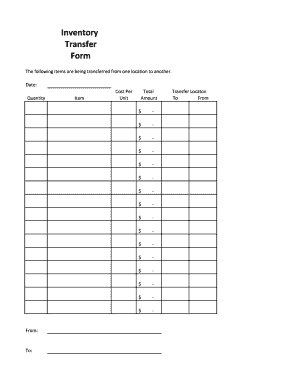
The Inventory Transfer Form - Andersonk12kyus is essential for documenting the transfer of items between locations. This guide provides a clear and comprehensive overview of how to complete the form online, ensuring an efficient process for users of all backgrounds.
Follow the steps to fill out the Inventory Transfer Form online.
- Click ‘Get Form’ button to access the Inventory Transfer Form and open it for editing.
- Enter the date of the transfer at the designated field. Be sure to use the current date or the date the transfer is occurring.
- In the 'From' section, specify the location where the items are currently located. This could be a department, office, or storage area.
- In the 'To' section, indicate the new location where the items will be moved. This should be the destination department, office, or storage area.
- List each item being transferred in the 'Item' field. Provide a brief description to ensure clarity regarding the transferred goods.
- Enter the quantity of each item being transferred in the corresponding 'Quantity' field next to each item description.
- Specify the cost per unit for each item in the 'Cost Per Unit' field. This will help in tracking the financial aspect of the transfer.
- Calculate the total amount for each line item by multiplying the quantity by the cost per unit, and enter this into the 'Total Amount' field.
- Review all the information entered for accuracy. Ensure that all fields are complete and correct before proceeding.
- Once you have reviewed the form, save your changes. You will have options to download, print, or share the completed form as needed.
Complete your documents online today with confidence!
Navigate for Transfer Inventory: Go to > Transaction > Inventory > Transfer Inventory. How to enable Multi-location Feature: Go to Setup > Company > Setup Tasks > Enable Features. On the Company subtab, check the Locations box.