Loading
Get Taco Bell Work Schedule
How it works
-

Open form follow the instructions
-

Easily sign the form with your finger
-

Send filled & signed form or save
How to fill out the Taco Bell Work Schedule online
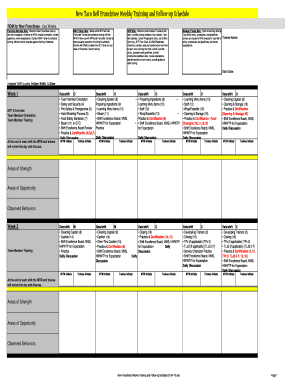
The Taco Bell Work Schedule is a vital document designed to help franchise managers and team members track training and shifts effectively. This guide will walk you through the process of completing the form online, ensuring each component is understood and accurately filled out.
Follow the steps to complete the Taco Bell Work Schedule online.
- Press the ‘Get Form’ button to access the Taco Bell Work Schedule and open it in your chosen document editor.
- Begin by entering the trainee’s name and start date at the top of the form. These details are critical for tracking the participant's progress.
- Designate the shift type for each day of training using 'O' for Open, 'M' for Mid, and 'C' for Close. This helps in organizing the trainee's schedule effectively.
- For each week listed, fill out the training activities scheduled for each shift. You will see topics such as 'Team Member Training' and 'Safety and Security.' Ensure you follow the schedule accurately.
- After each shift, both the manager trainer (MTM) and the trainee should review the day's activities and initial their respective sections. This is important for accountability and tracking progress.
- At the end of the schedule, there are sections for 'Areas of Strength,' 'Areas of Opportunity,' and 'Observed Behaviors.' Document observations as the trainee progresses through their training.
- Once all sections are completed, you can save your changes, download the form as needed, print a hard copy for records, or share it with relevant parties.
Complete your Taco Bell Work Schedule online now to ensure proper training management.
You do get 2 30 min breaks. Look at the minor labor law in your state.
Industry-leading security and compliance
US Legal Forms protects your data by complying with industry-specific security standards.
-
In businnes since 199725+ years providing professional legal documents.
-
Accredited businessGuarantees that a business meets BBB accreditation standards in the US and Canada.
-
Secured by BraintreeValidated Level 1 PCI DSS compliant payment gateway that accepts most major credit and debit card brands from across the globe.