Loading
Get Nychhc Ess
How it works
-

Open form follow the instructions
-

Easily sign the form with your finger
-

Send filled & signed form or save
How to fill out the Nychhc Ess online
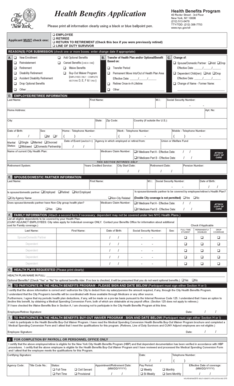
This guide provides a detailed overview of how to accurately complete the Nychhc Ess form, which is essential for health benefits applications in New York City. By following these clear steps, users can efficiently navigate the form and ensure all necessary information is provided.
Follow the steps to complete the Nychhc Ess form successfully.
- Press the ‘Get Form’ button to obtain the Nychhc Ess form and open it in your chosen editor.
- Review the initial section and select the appropriate category for your application. Check one of the following options: Employee, Retiree, Return to Retirement, or Line of Duty Survivor.
- In the Reason(s) for Submission section, indicate your reason by checking one or more of the boxes available. If applicable, ensure to enter the change date.
- Proceed to fill in your personal information in the Employee/Retiree Information section. Include details such as your last name, first name, Social Security number, home address, telephone numbers, and other relevant personal data.
- If you are married or have a domestic partner, complete the Spouse/Domestic Partner Information section. Fill in their details and check if they are employed or retired.
- In the Family Information section, list all eligible dependents who will be covered by your health plan. Ensure to check off relevant boxes for full-time students or individuals with disabilities.
- Clearly print the name of the health plan you are selecting in the Health Plan Requested section and indicate your interest in optional benefits.
- Sign and date the form in either Section H or I, depending on your participation in the Buy-Out Waiver Program. Be careful to authenticate that all information provided is accurate.
- After reviewing all filled details for accuracy, save your changes. You can then download, print, or share the completed form as needed.
Complete the Nychhc Ess form online today to ensure your health benefits are accurately processed.
In order for one of our technical specialists to assist you, please contact the Enterprise Service Desk at: 877-WE-IT-HHC (877-934-8442).