Loading
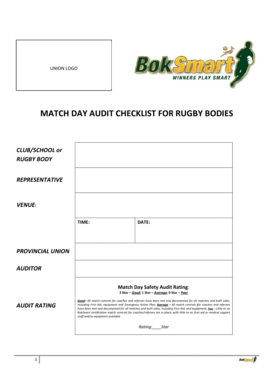
Get Template For Boksmart Rugby Body Match Day Audits
How it works
-

Open form follow the instructions
-

Easily sign the form with your finger
-

Send filled & signed form or save
How to fill out the Template For BokSmart Rugby Body Match Day Audits online
This guide provides comprehensive instructions for completing the Template For BokSmart Rugby Body Match Day Audits online. Follow these detailed steps to ensure accurate and thorough documentation for each match day.
Follow the steps to fill out your match day audit accurately.
- Click the ‘Get Form’ button to access the template and open it in your preferred editing application.
- In the first section, fill in the details of the 'Club/School or Rugby Body' along with the name of the 'Representative,' 'Venue,' 'Time,' and 'Date.' Ensure all entries are accurate and legible.
- Proceed to the 'Audit Rating' section. Assess each component based on the performance standards and select the appropriate star rating for the match day safety audit.
- Enter the 'Match Number,' 'Field,' and details of the competition or age grade. Additionally, document the names of both 'Home Team' and 'Opposing Team.'
- Record the name of the match referee and their BokSmart Code (BS-number). Also, include the BokSmart Codes for each coach and assistant referee if applicable.
- In the section concerning medical support, indicate if a first aider or BokSmart Rugby medic was present and visible during the match by selecting 'Yes' or 'No.'
- Assess and document the presence and visibility of emergency spinal immobilisation equipment, marking accordingly.
- Continue filling out coach and assistant coach details from both teams. Note if they entered the field during the match and document their BokSmart numbers.
- Finally, review all completed fields to ensure accuracy. Save the document, and choose to download, print, or share the form as needed.
Complete your match day audits online today to ensure safety and compliance.