Loading
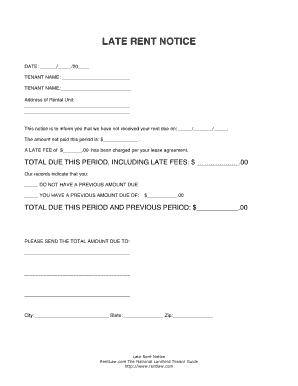
Get Rentlaw Late Rent Notice
How it works
-

Open form follow the instructions
-

Easily sign the form with your finger
-

Send filled & signed form or save
How to fill out the Rentlaw Late Rent Notice online
Filling out the Rentlaw Late Rent Notice online can simplify the process of notifying tenants about late rent payments. This guide provides step-by-step instructions to help you complete the form accurately and efficiently.
Follow the steps to complete the Rentlaw Late Rent Notice online
- Click ‘Get Form’ button to obtain the form and open it in the editor.
- Begin by entering the details of the landlord or property owner. Include their full name and address to ensure clear communication.
- Next, input the tenant’s information. This should include the tenant's full name and address, ensuring that the notice is directed to the right person.
- Indicate the specific rent amount due, along with the due date. Be precise; these details are crucial for the validity of the notice.
- Specify the date the notice is being issued. This provides an official timeline of the communication regarding the late rent payment.
- In the notice, articulate the consequences of continued non-payment, while maintaining a professional and clear tone. This section can encourage timely resolution.
- Finally, review all entered information for accuracy. Once satisfied, you can save changes, download, print, or share the form as needed.
Complete your documents online for a streamlined experience.
In Florida, you can be late on rent for as long as your lease allows, but it’s crucial to act quickly. After rent is unpaid, a landlord may issue a three-day notice, prompting immediate action. Depending on your communication and relationship with your landlord, they may be flexible; otherwise, they may begin eviction processes. For detailed guidelines, Rentlaw Late Rent Notice offers useful information.