Loading
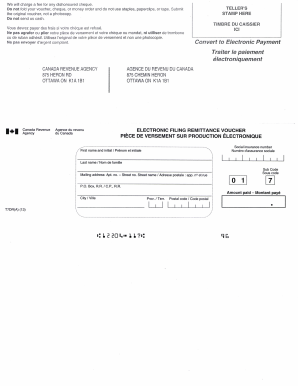
Get Canada T7dr(a) 2013-2026
How it works
-

Open form follow the instructions
-

Easily sign the form with your finger
-

Send filled & signed form or save
How to fill out the Canada T7DR(A) online
Filling out the Canada T7DR(A) form online can be a straightforward process when you understand each component. This guide will walk you through the necessary steps to ensure that your form is completed accurately and efficiently.
Follow the steps to successfully complete the Canada T7DR(A) form online.
- Press the ‘Get Form’ button to access the Canada T7DR(A) form and open it in your preferred online editor.
- Review the introductory section of the form, where you will find general instructions. This information is essential for understanding how to fill out the subsequent fields properly.
- Begin completing the personal information section. Here, you will need to input your full name, address, and contact details. Make sure to provide accurate information to avoid any issues later.
- In the next section, provide details related to your employment status. Be sure to select the appropriate options that apply to your specific situation.
- Continue to the income details section. Enter all relevant earnings and any supporting documentation, if required. Double-check for accuracy as this information will impact your submission.
- Lastly, review your completed form carefully. Ensure all sections are filled out accurately. After verifying everything, you can proceed to save your changes, download, print, or share the form as necessary.
Start filling out your Canada T7DR(A) form online today for a smoother submission process.
When filling out the W-8BEN form, first provide your identification details, including your address and taxpayer identification number. Then, confirm your status as a non-resident alien receiving income from U.S. sources. Completing this form correctly ensures you benefit from reduced withholding taxes. For more assistance, consider consulting resources like uslegalforms to navigate the process.