Loading
Form preview
  • US Legal Forms
  • Form Library
  • Independent Agency Forms
  • Independent Agency USPS Forms
  • Usps Ps 991 1993

Get Usps Ps 991 1993

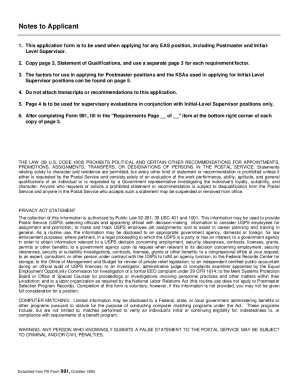
to the vacant position. List your education or training and work experience in the spaces provided. Number your entries consecutively in the Reference No. columns, e.g., education or training 1-6, postal positions 710, etc. The vacancy announcement to which you are responding lists a number of job requirements. In this application you are to provide your qualifications in reference to those requirements. Your statement of qualification should include a demonstration of the required knowledge, s.

How it works

  1. Open form

    Open form follow the instructions

  2. Easily sign form

    Easily sign the form with your finger

  3. Share form

    Send filled & signed form or save

How to fill out the USPS PS 991 online

The USPS PS 991 form is an essential document for individuals applying for promotions or assignments within the Postal Service. This guide provides step-by-step instructions on how to complete the form online, ensuring that all required information is accurately captured to enhance the likelihood of a successful application.

Follow the steps to complete the USPS PS 991 online.

  1. Click ‘Get Form’ button to obtain the form and open it in the editor.
  2. Fill in the applicant information section, including your name, title of present position, mailing address, contact numbers, and Social Security number. Ensure accuracy as this data is crucial for processing your application.
  3. Proceed to the information about the vacant position section. Specify the vacancy announcement number, closing date, position applied for, grade, and location of the vacancy office.
  4. Complete the education/training section by listing your educational background. Include the dates attended, number of credits earned, institution names, major fields of study, and type of degree received.
  5. Populate the postal positions section by detailing your relevant work history in reverse chronological order. Include job titles, employment dates, and the name of the organization.
  6. Similarly, fill in the nonpostal positions section, following the same format as above to maintain consistency and clarity.
  7. Draft your statement of qualifications. For each requirement/factor from the vacancy announcement, describe your qualifications in detail using the situation, action, result framework to showcase your knowledge, skills, and abilities (KSA).
  8. If applying for a supervisory position, ensure to articulate relevant achievements that demonstrate your leadership and managerial abilities as specified in the requirements.
  9. Once all sections are completed, review the form for accuracy and completeness. Ensure to include reference numbers for each achievement if applicable.
  10. Save your changes, and if necessary, download, print, or share the completed form as required by the application process.

Start your application process by filling out the USPS PS 991 online today.

Get form

Experience a faster way to fill out and sign forms on the web. Access the most extensive library of templates available.

Related content

DANIEL L. ANDERSON, Appellant, v. UNITED STATES...
Jul 18, 1997 — This evidence included the appellant's PS Form 991 (Applicant...
Learn more
Form Title PDF FC — (BuckSlip) Routing Slip...
PS 971. Certificate of Transfer (Aug., 1995). PS 990. Vacancy Announcement (March,. 1994)...
Learn more
postal bulletin 22318 (8-25-11) - About USPS home
Aug 26, 2011 — Offices are no longer required to send a copy of PS. Form 8176, Premium...
Learn more

Related links form

WA CLEAR App WA SPI 1588 2007 Washington Flyer Receipt WI DNR 3400-187 2004

Questions & Answers

Get answers to your most pressing questions about US Legal Forms API.

Contact support

Writing a complaint about a hostile work environment involves clearly stating the incidents, including dates, times, and the individuals involved. Use a professional tone, and reference USPS PS 991 to highlight relevant policies that support your case. This clarity will help HR or legal representatives understand your situation and take appropriate action.

To file an insurance claim with USPS, you must first determine the type of insurance you have and fill out the appropriate claim form, typically found on the USPS website. Provide evidence such as receipts and proof of loss to support your claim. USPS PS 991 guidelines can assist you in ensuring that your claim process is smooth and compliant with regulations.

Submitting a complaint about a hostile work environment at USPS requires you to follow specific, documented procedures. Start by talking to your supervisor or HR representative about your concerns, ensuring you reference USPS PS 991 for proper context. If necessary, file a formal complaint through the EEOC or your internal grievance process.

To file a tort claim with USPS, you need to complete Form 95, which is the standard claim for damage, injury, or death. Submit the completed form to the appropriate USPS district office. This process helps you navigate the claims system, especially when issues arise from USPS operations, aligning with guidelines set by USPS PS 991.

A hostile work environment occurs when an employee experiences unwelcome behavior that negatively impacts their ability to perform their job. This may include discriminatory remarks or harassment based on race, gender, or other protected characteristics. It's essential to document specific incidents and seek guidance on how USPS PS 991 applies to your situation.

The term 991 USPS generally refers to the specific forms and processes associated with the USPS PS 991 program. This program is designed to improve the efficiency and accuracy of postal operations, making it crucial for employees and applicants to understand. Engaging with USPS PS 991 can significantly impact your postal service experience.

The 991 form is an essential document utilized within the USPS system, commonly associated with processing various types of requests and applications. It helps streamline processes and ensures accuracy in handling postal services. Using the USPS PS 991 forms properly can enhance your experience with the postal service.

USPS zones 1 through 9 refer to shipping zones that determine shipping rates and delivery times for mail and packages. These zones range from local deliveries to those further away, affecting how your shipment is priced and processed. Familiarizing yourself with these zones is important if you plan to use USPS PS 991 for shipping logistics.

A 204b is a temporary assignment given to a USPS employee to fill a higher-level position for a limited time. This designation allows the Post Office to maintain operational efficiency while also providing employees the opportunity for advancement. If you are navigating the USPS PS 991 process, understanding these roles could be beneficial for your career development.

To fill out a redelivery request with USPS, you can complete the form left by your postal worker or use the USPS website. Provide necessary details, such as your address, tracking number, and preferred redelivery date. This process often aligns with the USPS PS 991 requirements, ensuring a smooth redelivery experience. If you have any questions, platforms like USLegalForms provide guidance on procedures.

Get This Form Now!

Use professional pre-built templates to fill in and sign documents online faster. Get access to thousands of forms.
If you believe that this page should be taken down, please follow our DMCA take down processhere.

Industry-leading security and compliance

US Legal Forms protects your data by complying with industry-specific security standards.
  • In businnes since 1997
    25+ years providing professional legal documents.
  • Accredited business
    Guarantees that a business meets BBB accreditation standards in the US and Canada.
  • Secured by Braintree
    Validated Level 1 PCI DSS compliant payment gateway that accepts most major credit and debit card brands from across the globe.
Get USPS PS 991
  • Adoption
  • Bankruptcy
  • Contractors
  • Divorce
  • Home Sales
  • Employment
  • Identity Theft
  • Incorporation
  • Landlord Tenant
  • Living Trust
  • Name Change
  • Personal Planning
  • Small Business
  • Wills & Estates
  • Packages A-Z
  • Affidavits
  • Bankruptcy
  • Bill of Sale
  • Corporate - LLC
  • Divorce
  • Employment
  • Identity Theft
  • Internet Technology
  • Landlord Tenant
  • Living Wills
  • Name Change
  • Power of Attorney
  • Real Estate
  • Small Estates
  • Wills
  • All Forms
  • Forms A-Z
  • Form Library
  • Legal Hub
  • About Us
  • Help Portal
  • Legal Resources
  • Blog
  • Affiliates
  • Contact Us
  • Delete My Account
  • Site Map
  • Industries
  • Forms in Spanish
  • Localized Forms
  • State-specific Forms
  • Forms Kit
  • Real Estate Handbook
  • All Guides
  • Notarize
  • Incorporation services
  • For Consumers
  • For Small Business
  • For Attorneys
  • USLegal
  • FormsPass
  • pdfFiller
  • signNow
  • altaFlow
  • DocHub
  • Instapage
Form Packages
  • Adoption
  • Bankruptcy
  • Contractors
  • Divorce
  • Home Sales
  • Employment
  • Identity Theft
  • Incorporation
  • Landlord Tenant
  • Living Trust
  • Name Change
  • Personal Planning
  • Small Business
  • Wills & Estates
  • Packages A-Z
Form Categories
  • Affidavits
  • Bankruptcy
  • Bill of Sale
  • Corporate - LLC
  • Divorce
  • Employment
  • Identity Theft
  • Internet Technology
  • Landlord Tenant
  • Living Wills
  • Name Change
  • Power of Attorney
  • Real Estate
  • Small Estates
  • Wills
  • All Forms
  • Forms A-Z
  • Form Library
Customer Service
  • Legal Hub
  • About Us
  • Help Portal
  • Legal Resources
  • Blog
  • Affiliates
  • Contact Us
  • Delete My Account
  • Site Map
  • Industries
  • Forms in Spanish
  • Localized Forms
  • State-specific Forms
  • Forms Kit
Legal Guides
  • Real Estate Handbook
  • All Guides
Prepared for you
  • Notarize
  • Incorporation services
Our Customers
  • For Consumers
  • For Small Business
  • For Attorneys
Our Sites
  • USLegal
  • FormsPass
  • pdfFiller
  • signNow
  • altaFlow
  • DocHub
  • Instapage
Social Media
Call us now toll free:
+1 833 426 79 33
As seen in:
© Copyright 1999-2026 airSlate Legal Forms, Inc. 3720 Flowood Dr, Flowood, Mississippi 39232
  • Your Privacy Choices
  • Terms of Service
  • Privacy Notice
  • Content Takedown Policy
  • Bug Bounty Program
USPS PS 991
This form is available in several versions.
Select the version you need from the drop-down list below.
2014 USPS PS 991
Select form
  • 2014 USPS PS 991
  • 1993 USPS PS 991
Select form