Loading
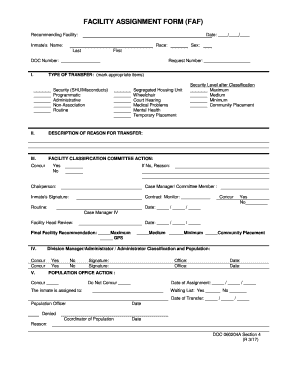
Get Faf Form
How it works
-

Open form follow the instructions
-

Easily sign the form with your finger
-

Send filled & signed form or save
How to fill out the Faf Form online
Filling out the Facility Assignment Form (Faf Form) online is a straightforward process that ensures accurate and efficient submission. This guide is designed to help users navigate each section of the form with ease.
Follow the steps to complete the Faf Form online
- Press the ‘Get Form’ button to access the Faf Form and open it in your preferred online editor.
- Enter the recommending facility name and the date in the designated fields to provide essential context for the transfer request.
- Fill in the inmate's name, race, and DOC number. Ensure that the information is correct as it will be used for identification purposes.
- Indicate the type of transfer by marking the appropriate options. You can select from categories such as security, programmatic, administrative, and routine.
- In the section for describing the reason for the transfer, provide clear and concise details that justify the transfer request.
- Complete the facility classification committee action by indicating whether there is agreement (Yes/No) regarding the security level after classification.
- Include the signatures of the relevant personnel, such as the chairperson and case manager, in the spaces provided to authenticate the request.
- Finalize your entry by reviewing the population office action and indicating whether the inmate is assigned or waiting for transfer, along with the relevant dates.
- Once all fields are filled out, save any changes made to the form. You may also download, print, or share the form according to your needs.
Start completing your Faf Form online today and ensure a smooth transfer process.
A. Functional abilities form for early and safe return to work. is an optional form designed to help workers and employers meet their return-to-work obligations. The FAF can be used as a tool to facilitate return to work discussions between the employer and the injured/ill worker.