Loading
Get Time Order Chart
How it works
-

Open form follow the instructions
-

Easily sign the form with your finger
-

Send filled & signed form or save
How to fill out the Time Order Chart online
The Time Order Chart is a helpful tool for visually organizing events related to a specific topic in chronological order. This guide will provide clear, step-by-step instructions to assist you in completing this form online.
Follow the steps to effectively complete the Time Order Chart.
- Click the 'Get Form' button to access the Time Order Chart and open it in your preferred editor.
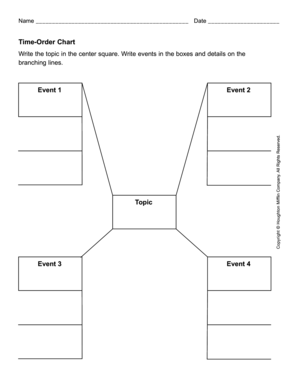
- In the center square of the chart, write the main topic that the events relate to. This topic should be concise and clearly defined.
- Identify up to four events related to the topic. Write these events in the designated boxes, making sure to arrange them in chronological order where applicable.
- On the branching lines connecting the events, provide additional details or descriptions that elaborate on each event. This could include dates, places, or any relevant information that further explains the significance of each event.
- Once you have filled out each section of the chart with the appropriate information, review the form for accuracy and completeness.
- Finally, save your changes, download a copy for your records, or print it directly from your device. You may also choose to share the completed form as needed.
Start filling out your Time Order Chart online today for a better organization of your events.
Sept 14 (Reuters) - Google will pay California $93 million to resolve a lawsuit accusing the search engine company of misleading consumers about its location tracking practices.