Loading
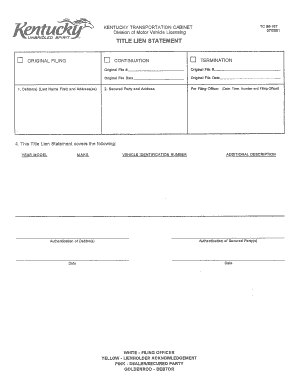
Get Fayette County Ky County Clerk
How it works
-

Open form follow the instructions
-

Easily sign the form with your finger
-

Send filled & signed form or save
How to fill out the Fayette County Ky County Clerk online
This guide provides a step-by-step approach to filling out the Fayette County Kentucky County Clerk form online. Whether you are familiar with digital document management or new to the process, you will find clear instructions to successfully complete the form.
Follow the steps to complete your form efficiently.
- Press the ‘Get Form’ button to access the form and open it in your editor.
- Carefully read the instructions provided on the form to understand the requirements and prepare the necessary information before starting.
- Begin filling out the personal information section, which may include your full name, address, phone number, and email. Ensure all entries are accurate and complete.
- Proceed to the section that requires details about the purpose of your filing. Here, clearly articulate your reason for submitting the form.
- If applicable, provide any additional information or documentation requested in the relevant sections of the form.
- Review your entries for any errors or missing information, as accuracy is crucial to avoid delays.
- Once satisfied with the form, save your changes and prepare to download, print, or share the completed document.
Start completing your forms online today for a streamlined experience.
Use eTags© to Quickly Complete Your DMV Service. Renewals, Title Transfers and More, All Online! In Kentucky, you will apply for a new title and registration for your new car at your County Clerk's Office.