Loading
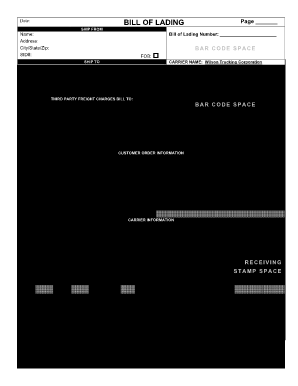
Get Wilson Trucking Bol
How it works
-

Open form follow the instructions
-

Easily sign the form with your finger
-

Send filled & signed form or save
How to fill out the Wilson Trucking Bol online
This guide provides clear, step-by-step instructions on how to complete the Wilson Trucking Bill of Lading (Bol) online. Whether you are familiar with transportation documents or new to the process, this guide is designed to help you navigate each section with confidence.
Follow the steps to complete the Wilson Trucking Bol.
- Click ‘Get Form’ button to obtain the form and open it in the editor. This will allow you to access the Wilson Trucking Bol for online completion.
- In the 'Ship From' section, enter the bill of lading number along with the sender's name, address, city, state, and ZIP code. You may also include the SID# if applicable.
- In the 'Ship To' section, input the recipient's name, address, and city, state, and ZIP code. Include the location number, trailer number, seal number(s), SCAC, and CID# as required.
- Next, provide the pro number and 'Freight Charge Terms'. Mark whether the charges are prepaid or collect by checking the appropriate box.
- Fill in any special instructions relevant to the shipment. This section is important for any specific handling guidance.
- Input the customer order number and provide the number of packages being shipped along with weight details. Include other relevant data, such as pallet/slip and handling unit types.
- Detail the commodity description and indicate the weight, ensuring to note if any commodities require special care by marking 'H.M.' where applicable.
- Complete the 'COD Amount' if applicable. Specify the fee terms and acknowledge any obligations regarding limitations of liability for loss or damage.
- After ensuring all sections are accurately filled, you can save changes, download the completed document, print it, or share the form as needed.
Get started now to complete your Wilson Trucking Bol online.
This is the person whose name is on the account, pays the bill every month, and owns your phone number. Most carriers do not allow lines to leave a family plan without permission from the owner. So, if they don't grant permission, you can't take your phone number or device with you.