Loading
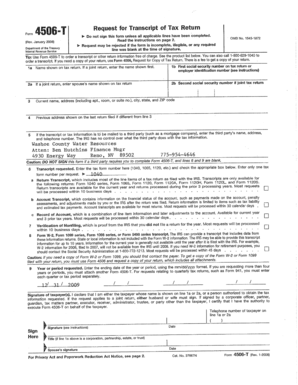
Get Form 4596
How it works
-

Open form follow the instructions
-

Easily sign the form with your finger
-

Send filled & signed form or save
How to fill out the Form 4596 online
Filling out Form 4596 online can streamline the process and ensure accuracy. This guide provides a step-by-step approach to help users navigate each section of the form with ease and confidence.
Follow the steps to complete Form 4596 online
- Click the ‘Get Form’ button to access the form and open it in the document editor.
- Begin with the personal information section. Fill in your name, address, and any other required identifying details. Ensure that all information is accurate to avoid processing issues.
- Proceed to the next section regarding the specific purpose of the form. Provide any necessary details pertaining to the context in which you are submitting the form. Be clear and concise.
- Complete the section that may require additional disclosures. If applicable, include any relevant information that supports your submission.
- Review all entries for accuracy. Double-check spelling and information to prevent delays.
- Once you have filled out all sections, look for the options to save your changes, download a copy, print the form, or share it as needed.
Complete your Form 4596 online today for a hassle-free experience.
The IVES Request for Transcript of Tax Return (IRS Form 4506-C) provides the borrower's permission for the lender to request the borrower's tax return information directly from the IRS using the IRS Income Verification Express Service (IVES).