Loading
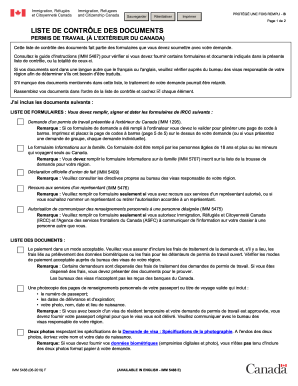
Get Canada Imm 5488 F 2019-2026
How it works
-

Open form follow the instructions
-

Easily sign the form with your finger
-

Send filled & signed form or save
How to fill out the Canada IMM 5488 F online
Completing the Canada IMM 5488 F form is an essential step in the application process for obtaining a work permit outside of Canada. This guide aims to provide clear, step-by-step instructions to ensure users can fill out the form accurately and effectively.
Follow the steps to complete the form correctly.
- Click the ‘Get Form’ button to access the IMM 5488 F form and open it in the editor.
- Read the instructions carefully before starting to fill out the form. Be sure to gather all necessary documents including proof of employment, passport details, and any additional forms required.
- Begin with personal identification details. Provide your full name, date of birth, and contact information as requested in the initial sections of the form.
- Continue by entering your immigration and employment information. Specify if you have a job offer and include the name of your employer and job title as outlined in the guidelines.
- In the next sections, upload any required supporting documents as per the checklist. This includes proof of your current immigration status, and any specific letters or documents required by the visa office.
- Review all the information entered in the form for accuracy and completeness. This is a crucial step to prevent delays in the processing of your application.
- Once all fields are filled, save your changes. You may then download the form for your records or print it out as needed.
- Share the completed form with necessary parties if required, ensuring all personal information is handled securely and privately.
Complete your documents online with confidence and accuracy.